BridgeWork Entra Governance Center reads your Entra ID in read-only mode and tells you how well governed your tenant is, what to fix first, and how much the licenses nobody uses are costing you.
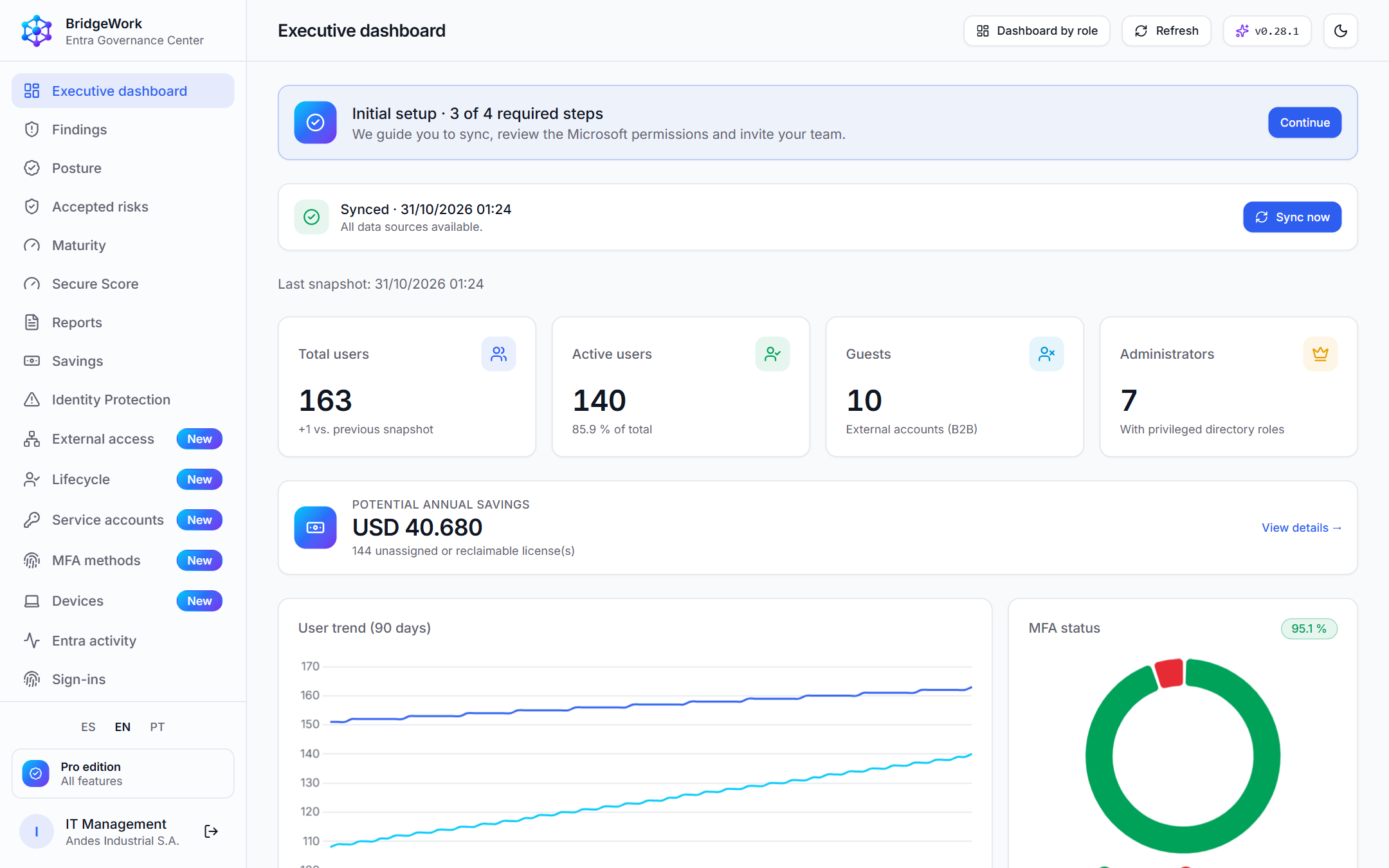
Concrete results, measured with your own tenant's data.
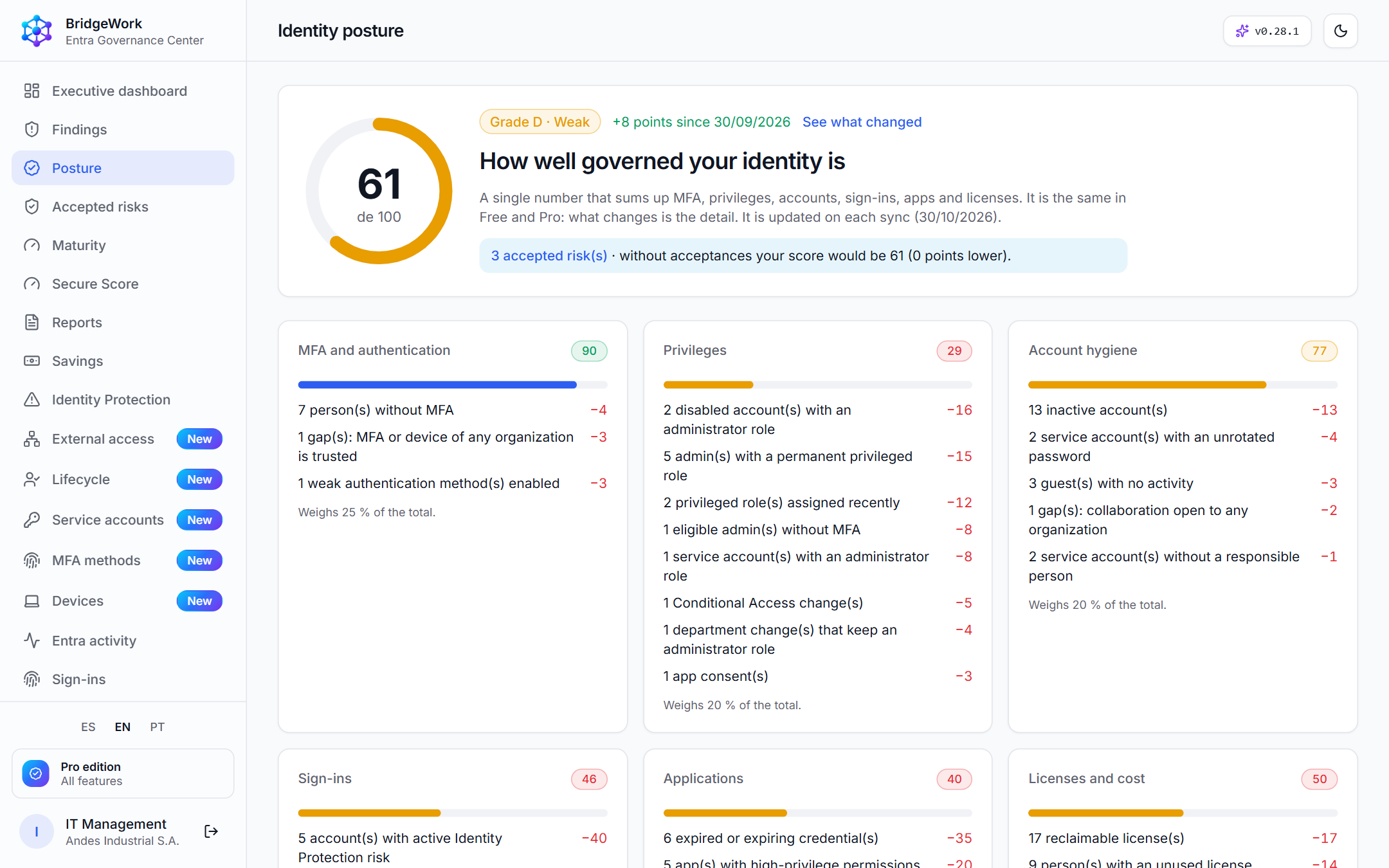
A posture score with an A–E grade, seven pillars and what each one subtracts. No black boxes.
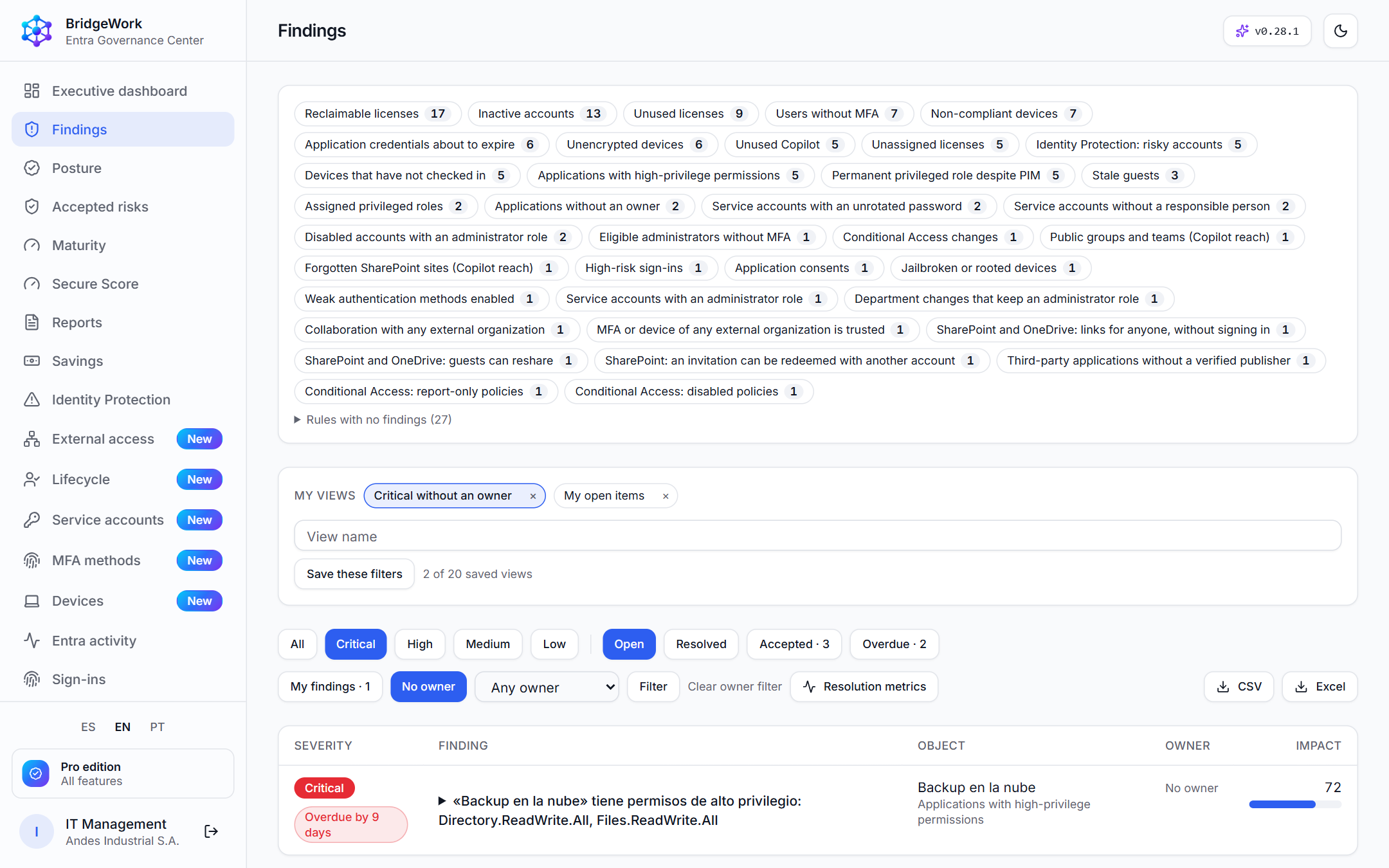
Findings prioritized by impact and the actions that raise the score the most.
Unassigned, reclaimable or unused licenses turned into money using your prices.
Access reviews, accepted risks and compliance packages ready for the auditor.
Read-only: it points out issues and links to the Microsoft portal, and never changes anything.
An executive PDF report in minutes, schedulable by email, in three languages.
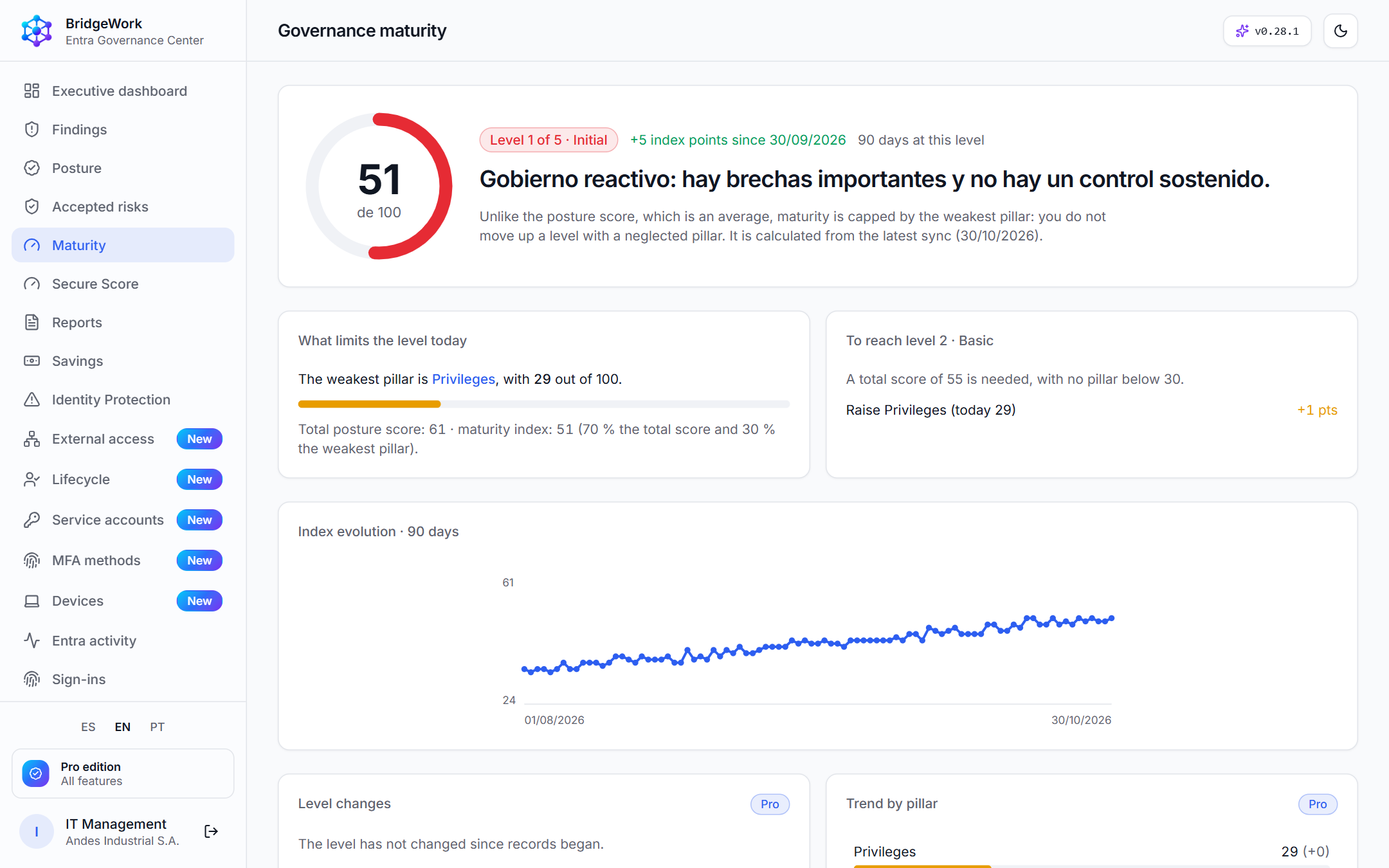
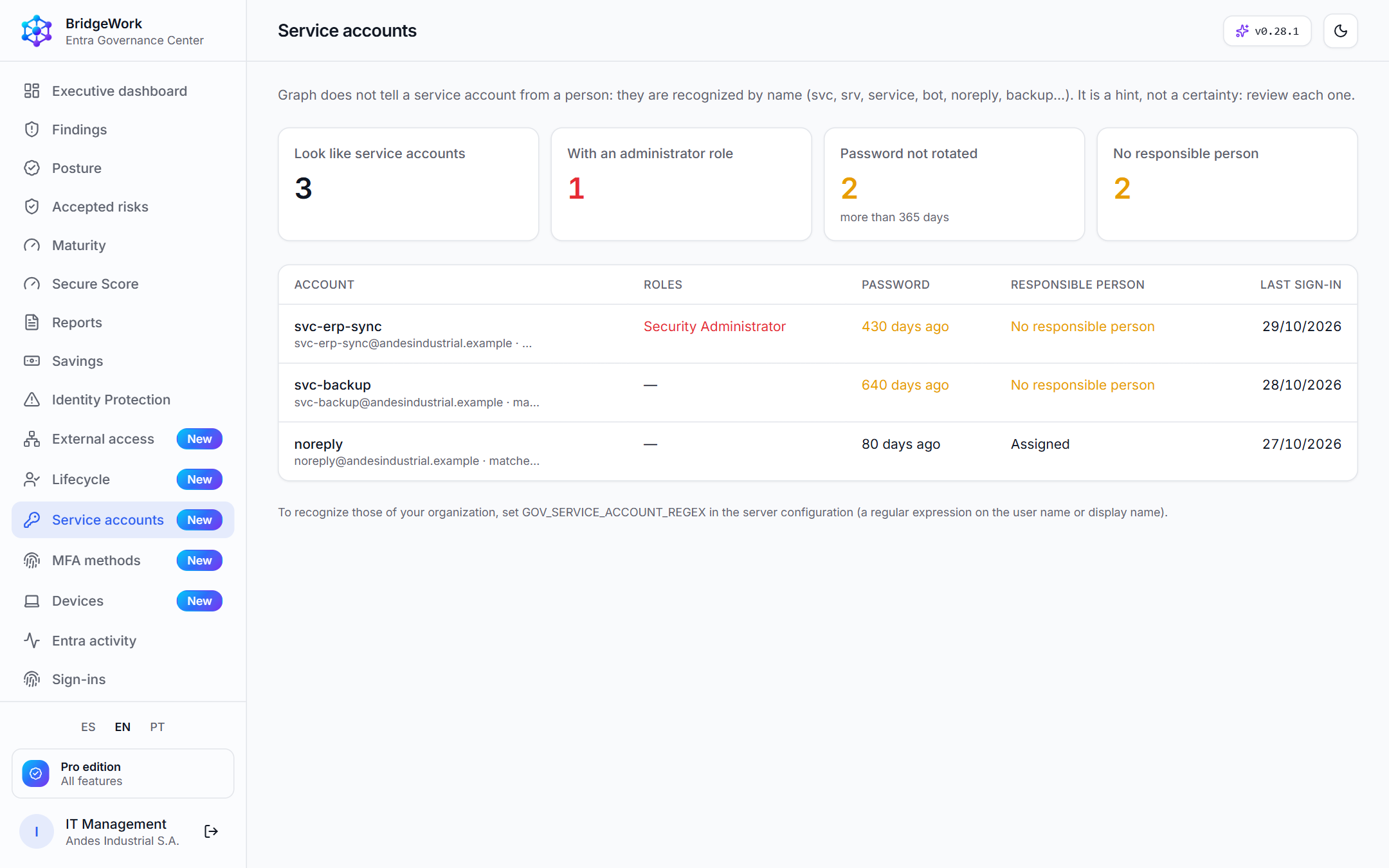
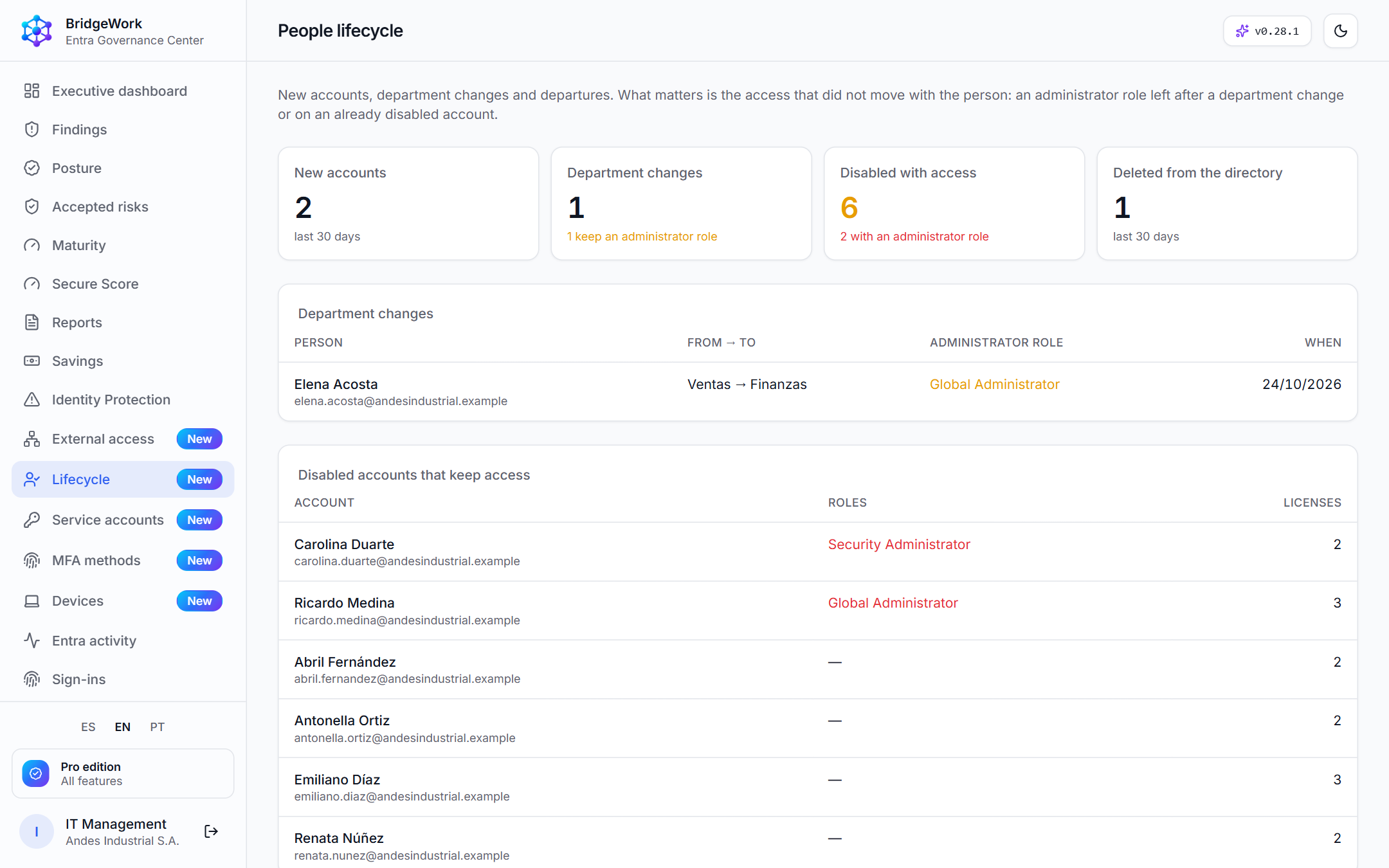
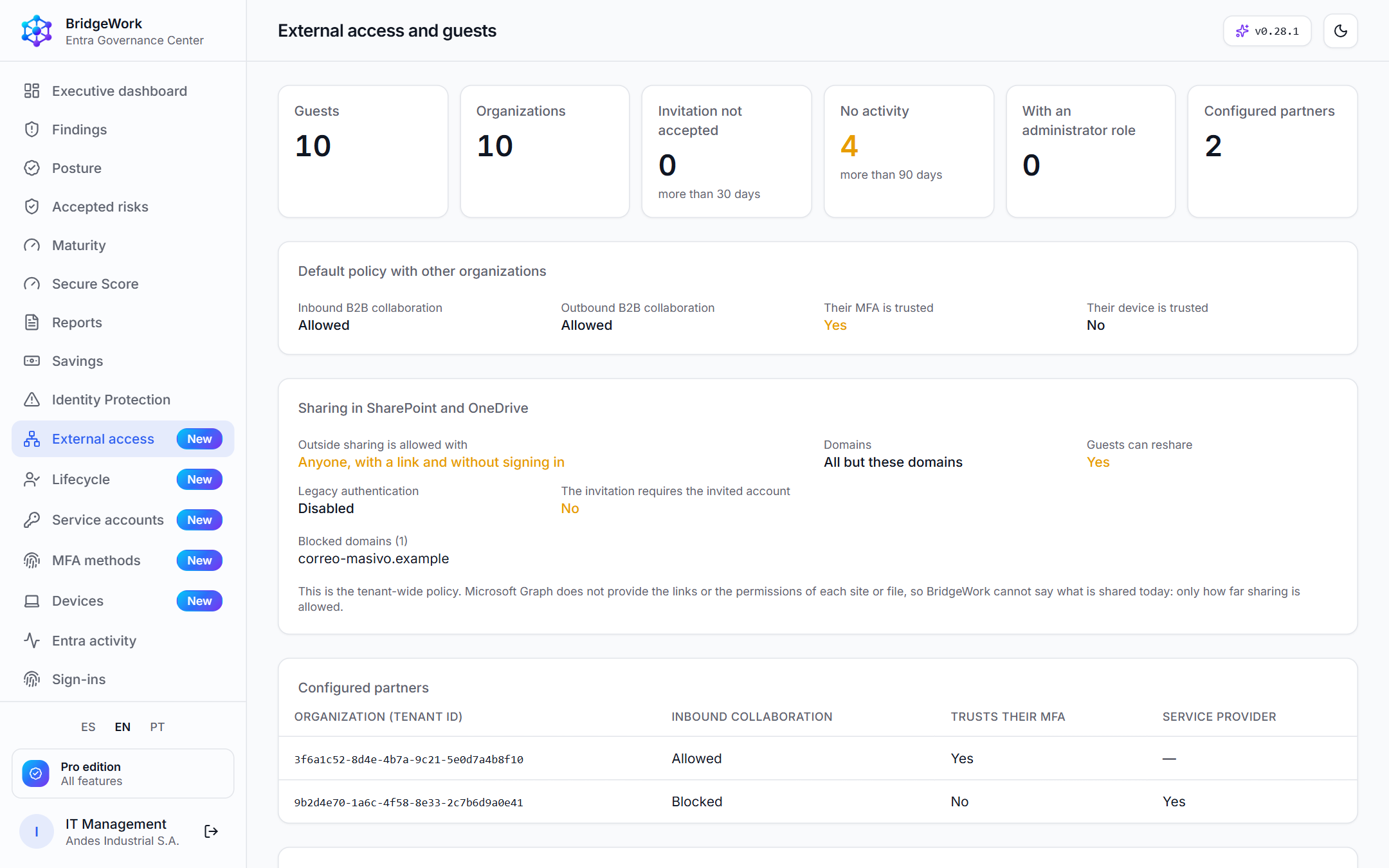
The screenshots show a fictitious demo tenant ("Andes Industrial S.A."). Real results depend on each organization: we do not promise savings percentages or certify compliance.
From Microsoft data to decisions and evidence.
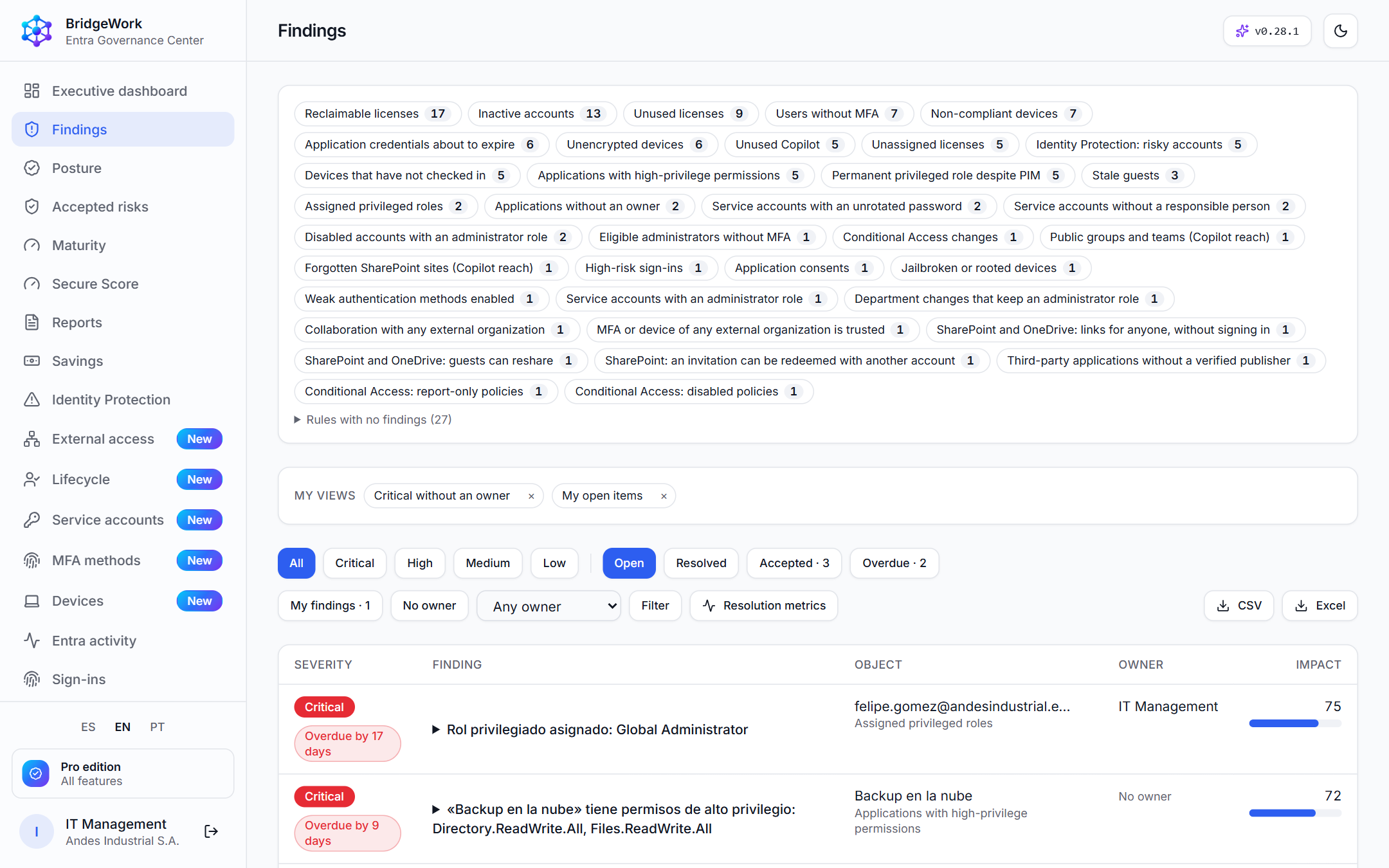
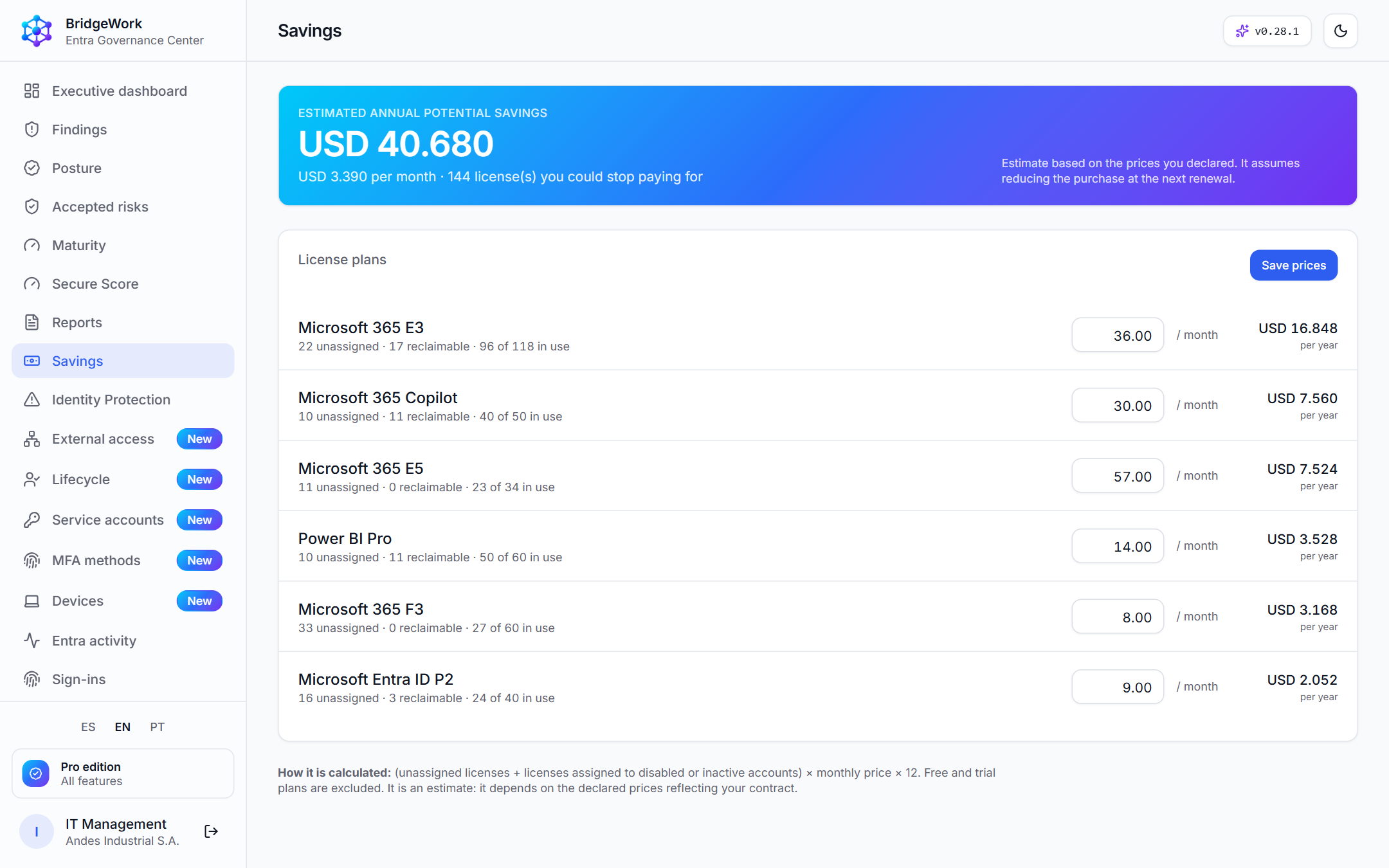
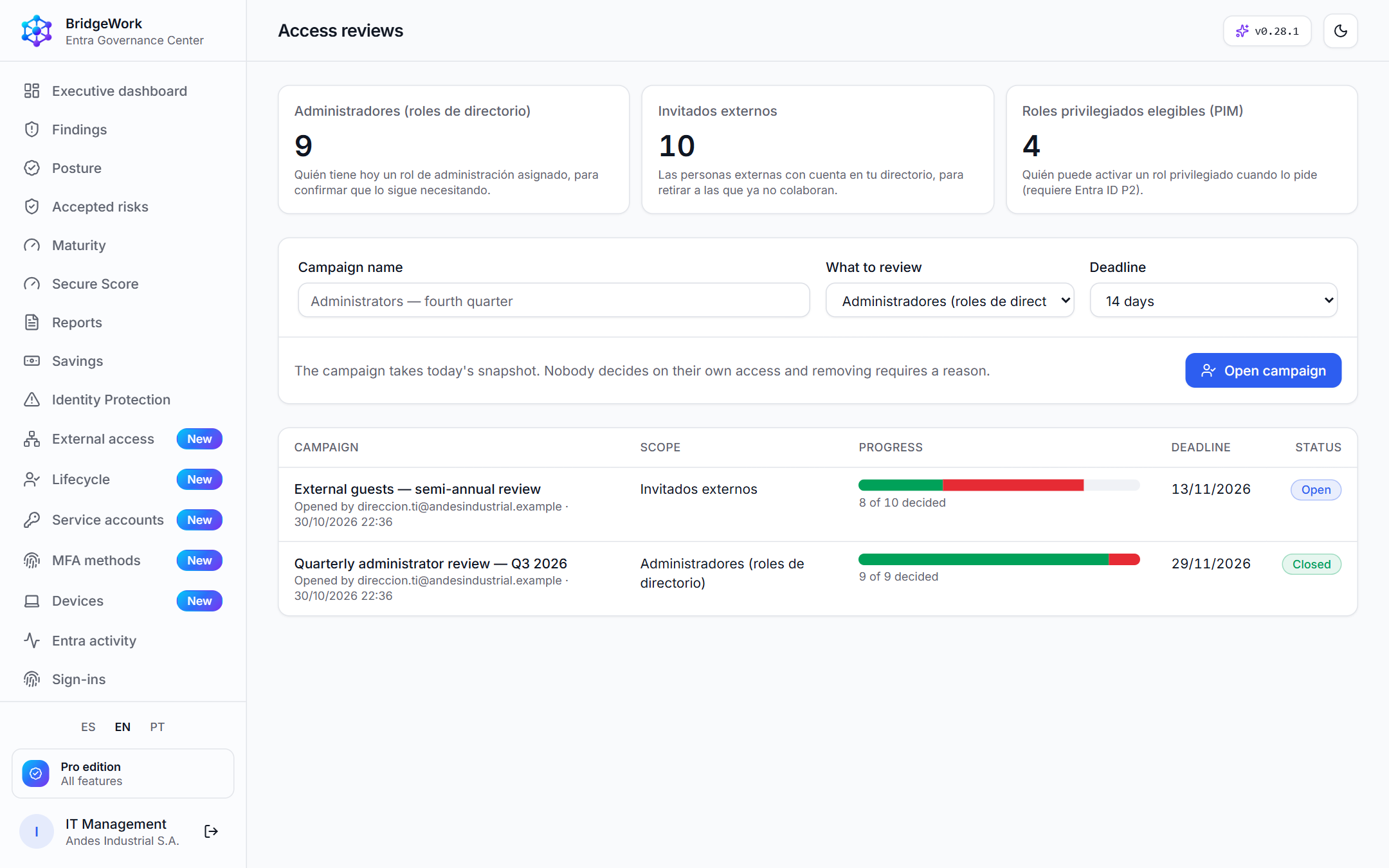
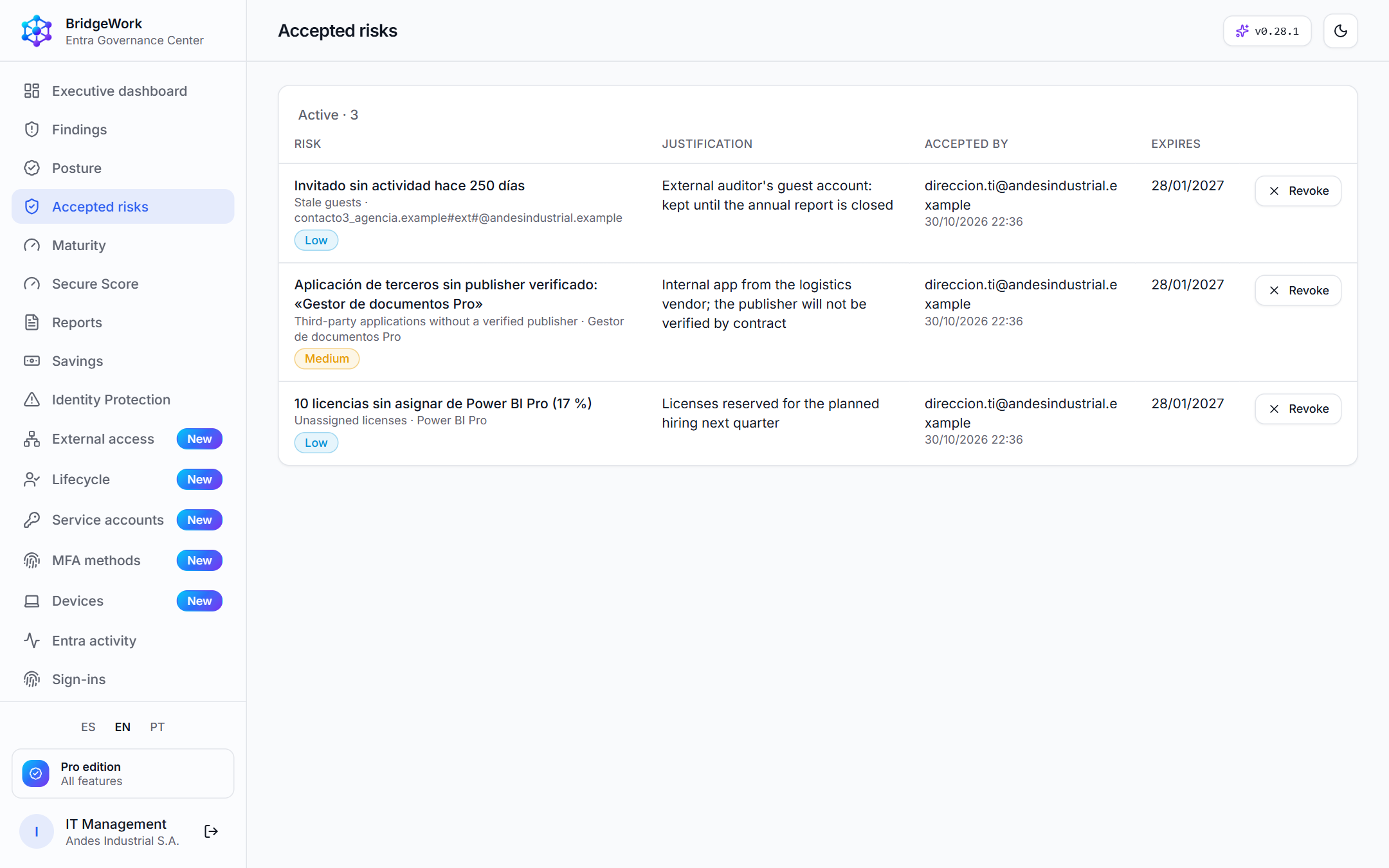
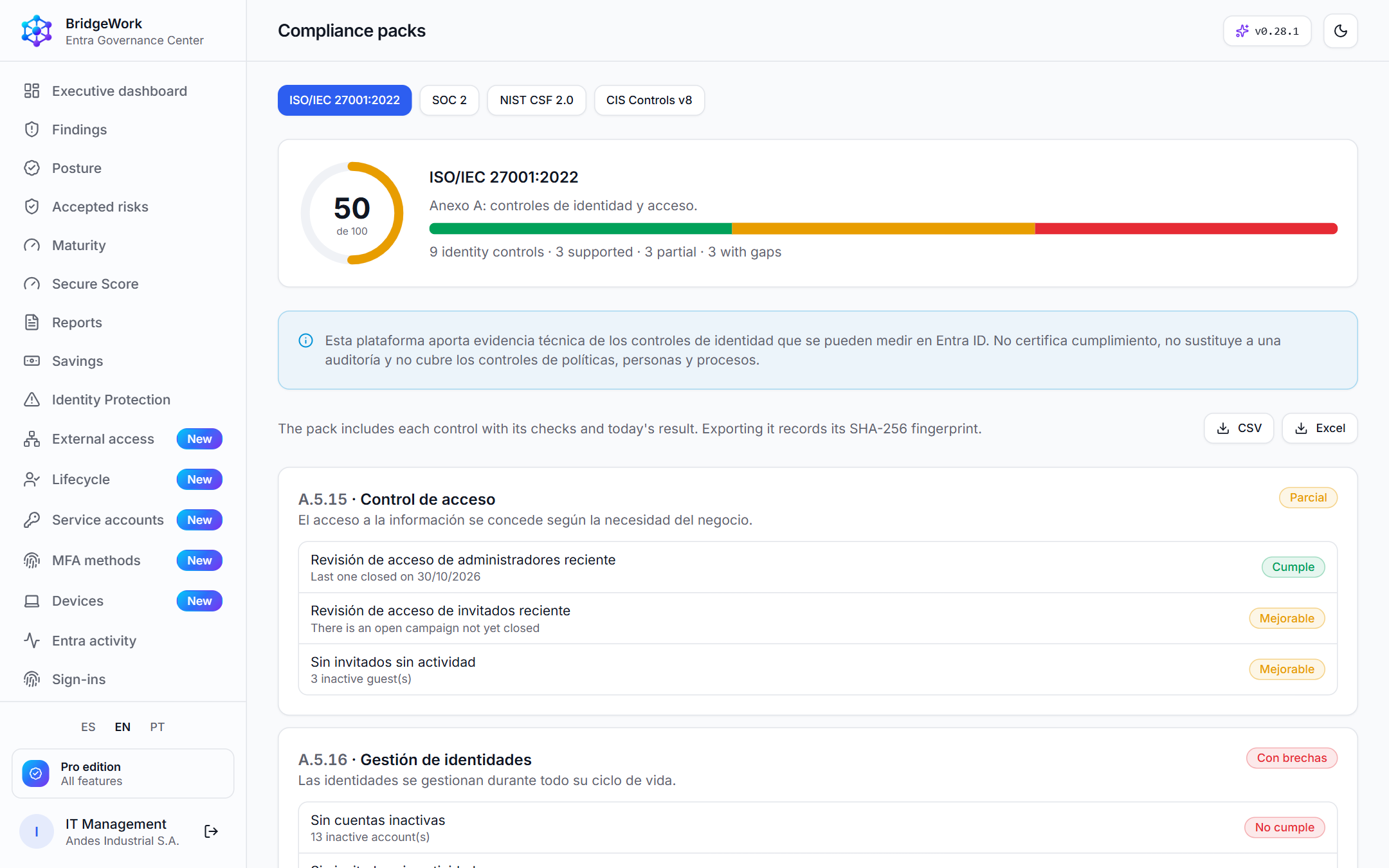
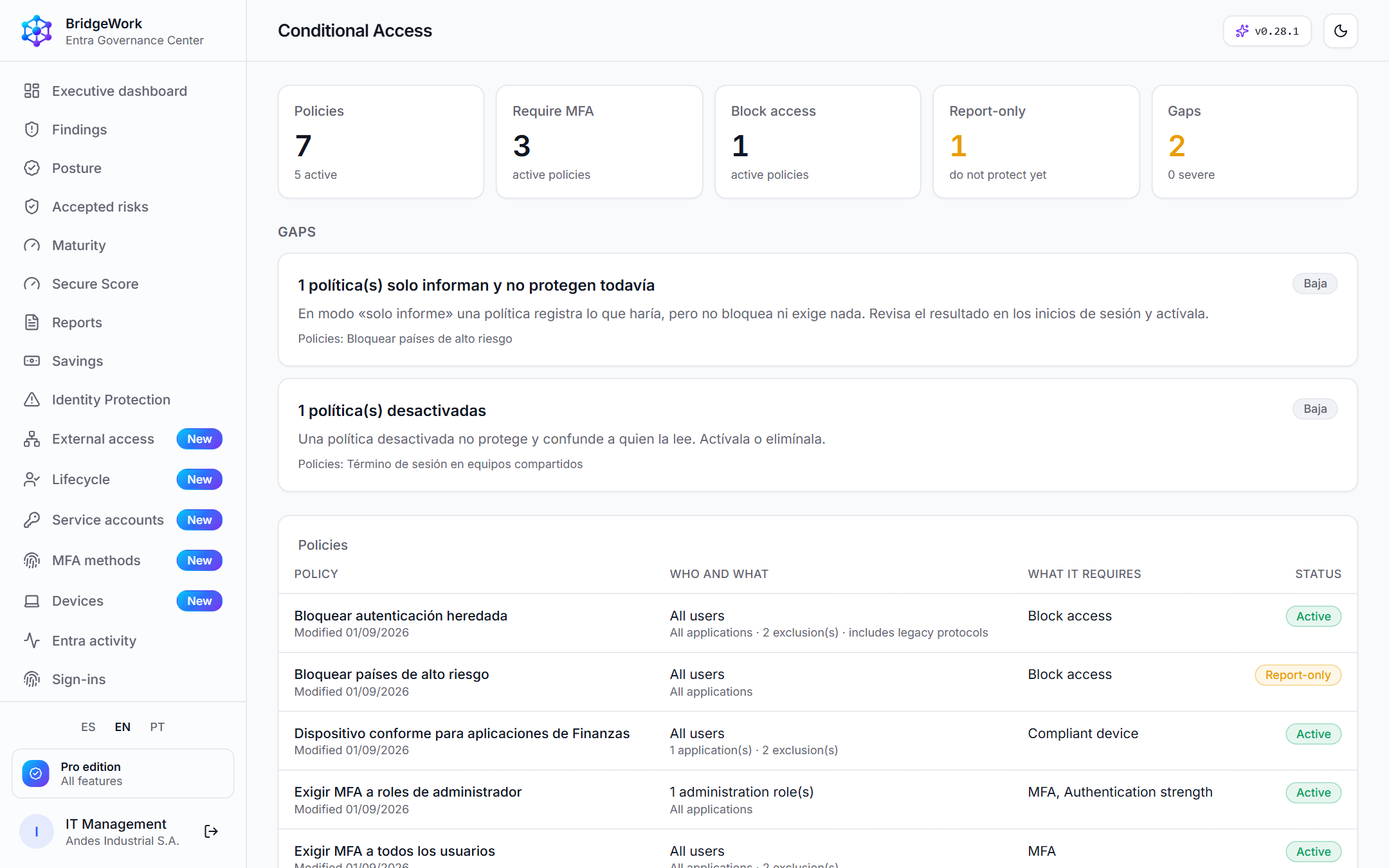
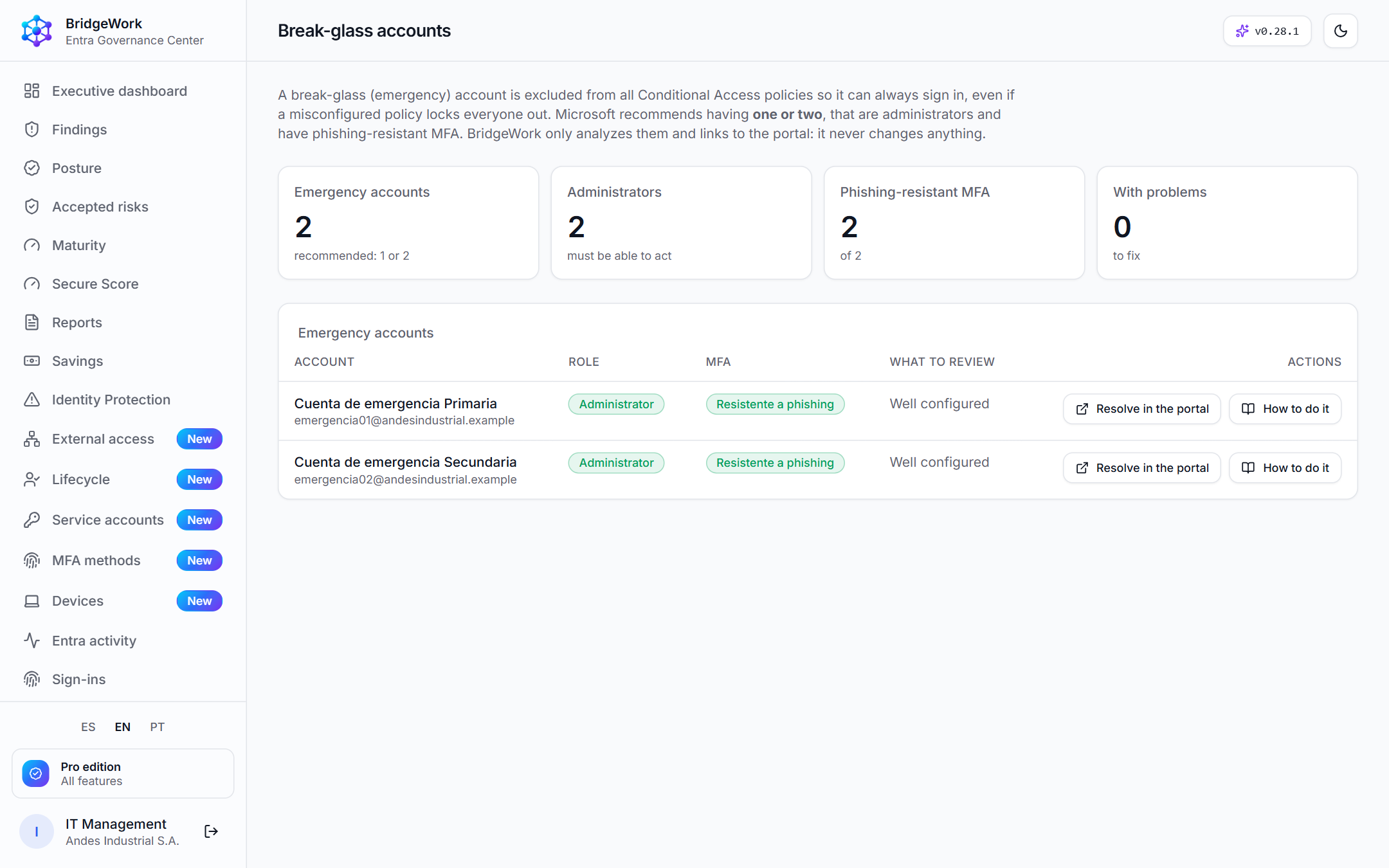
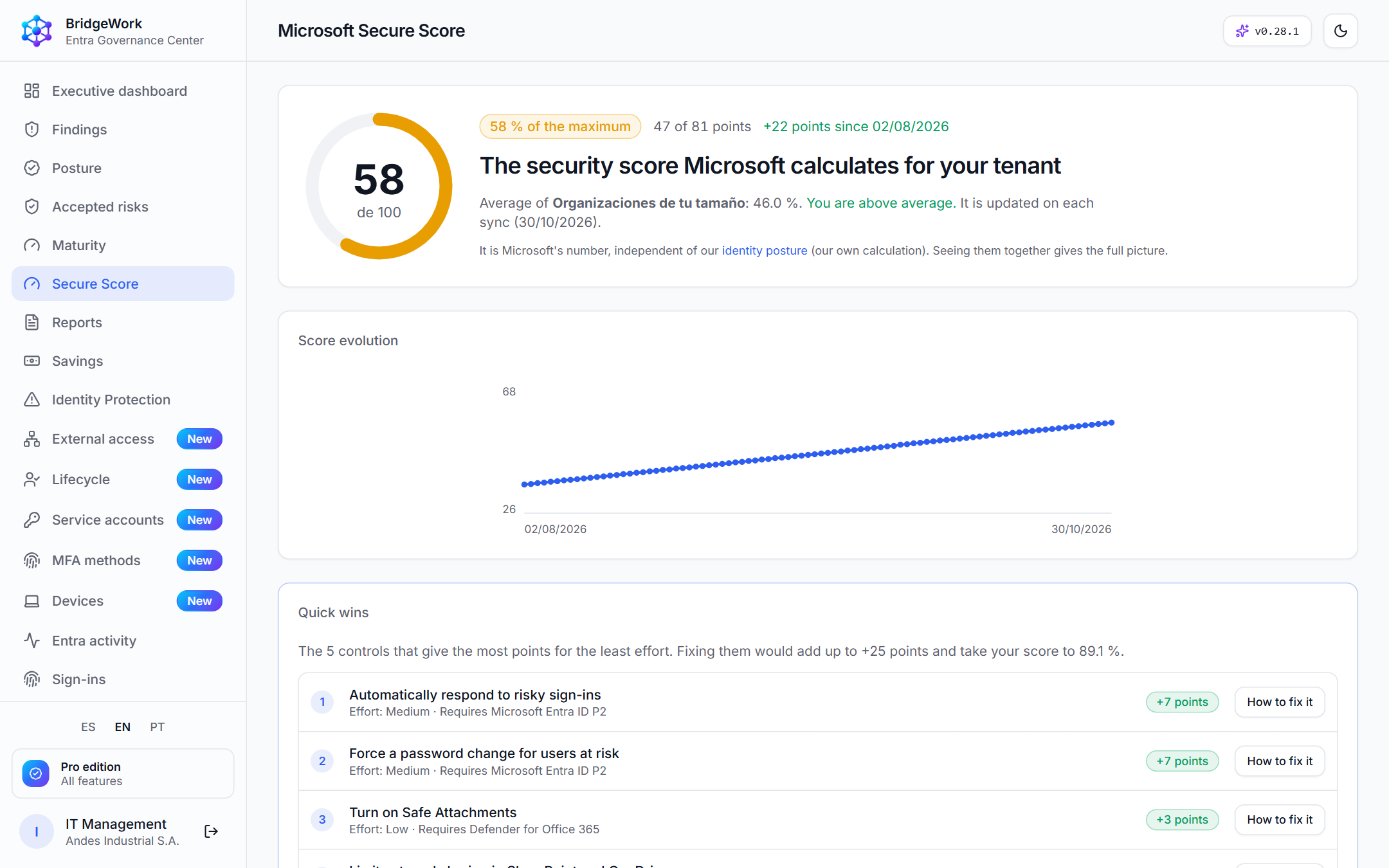
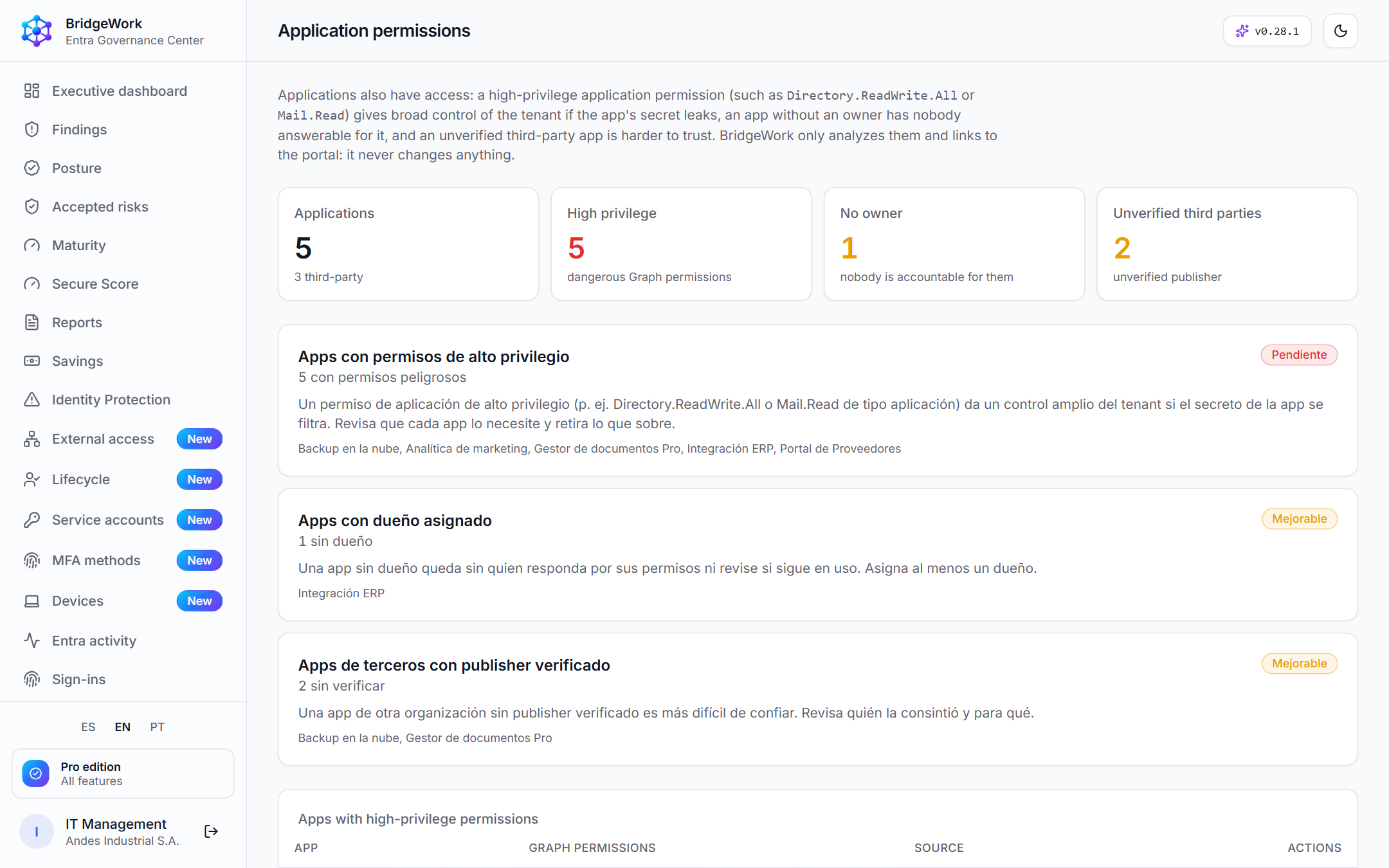
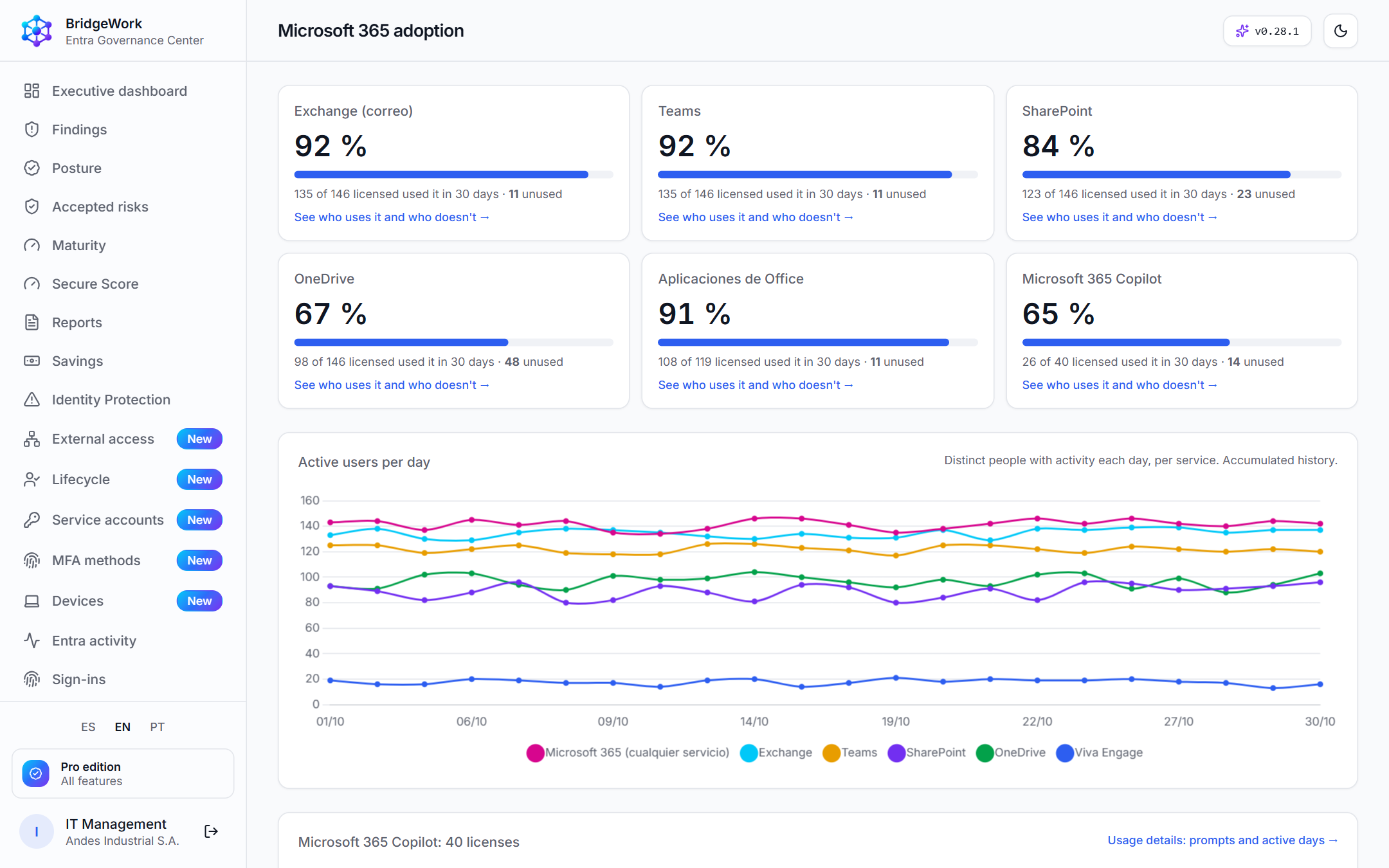
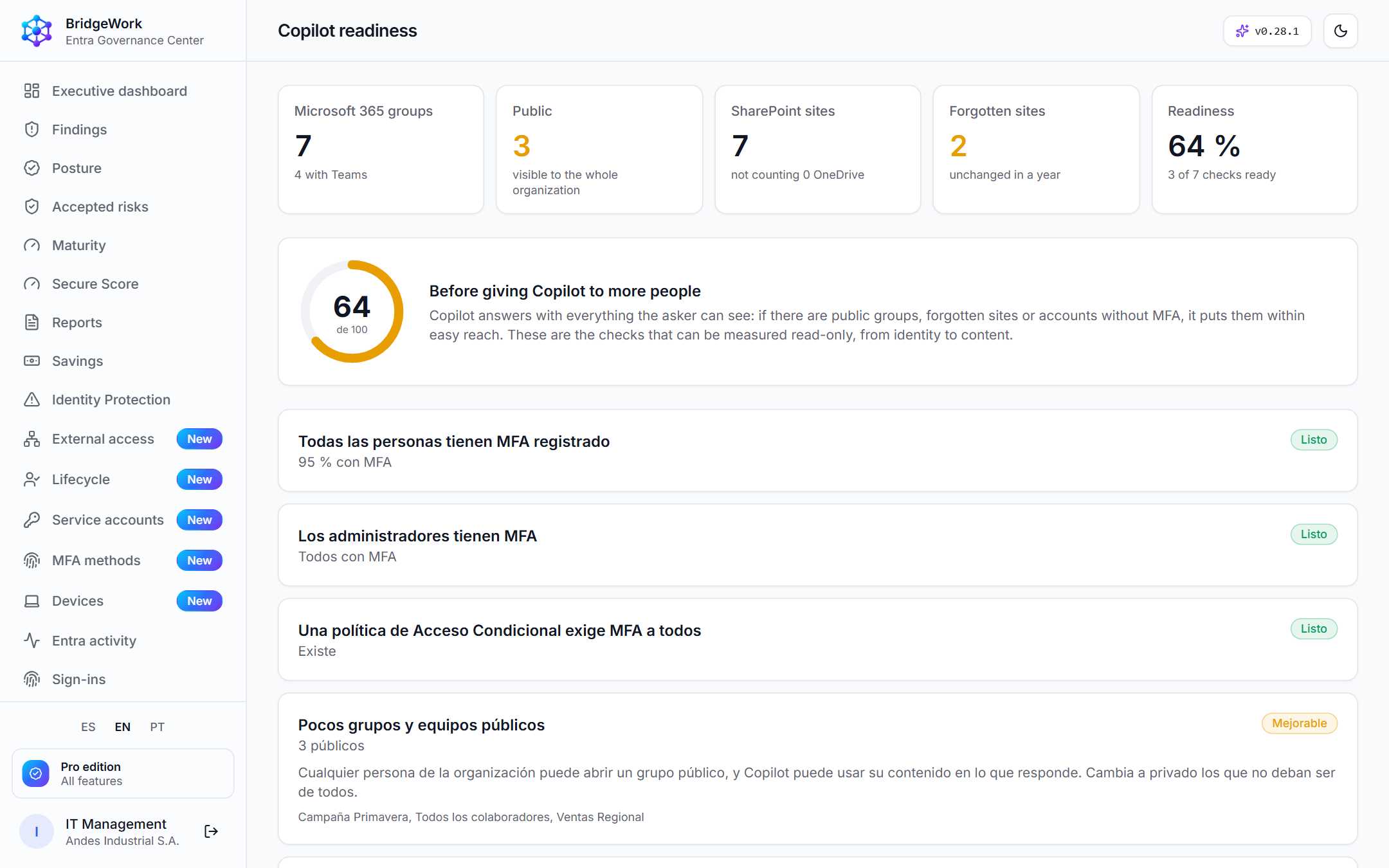
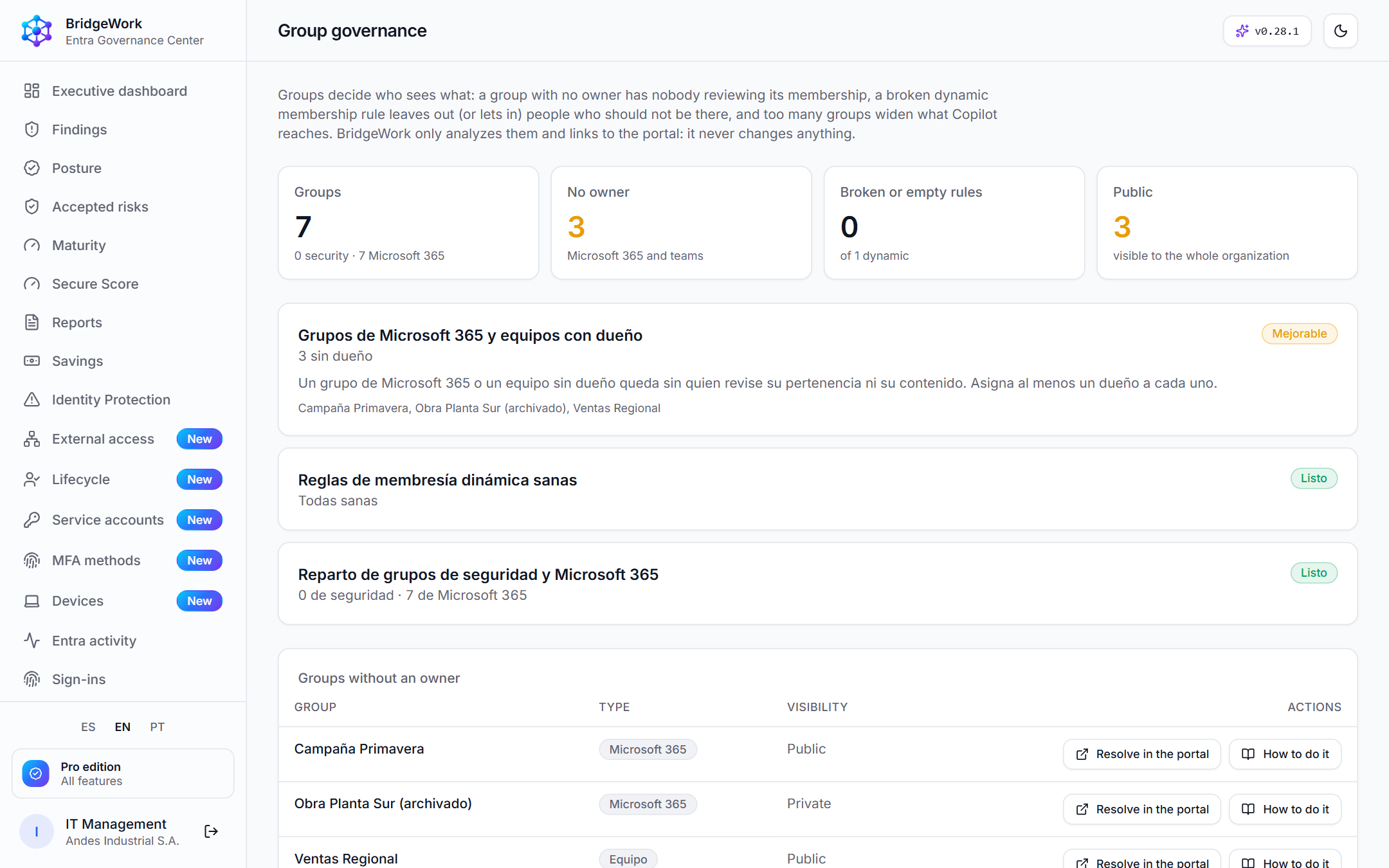
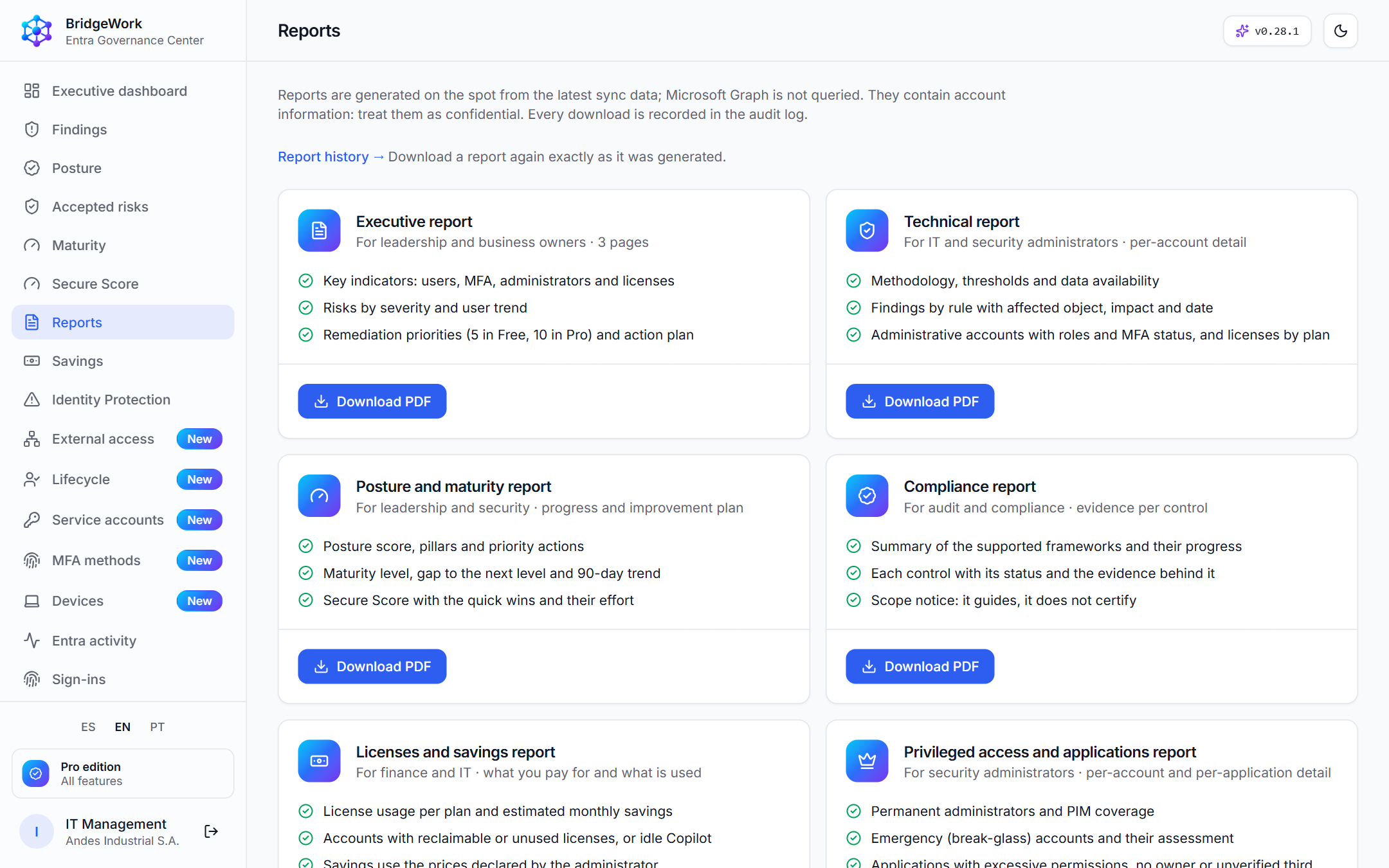
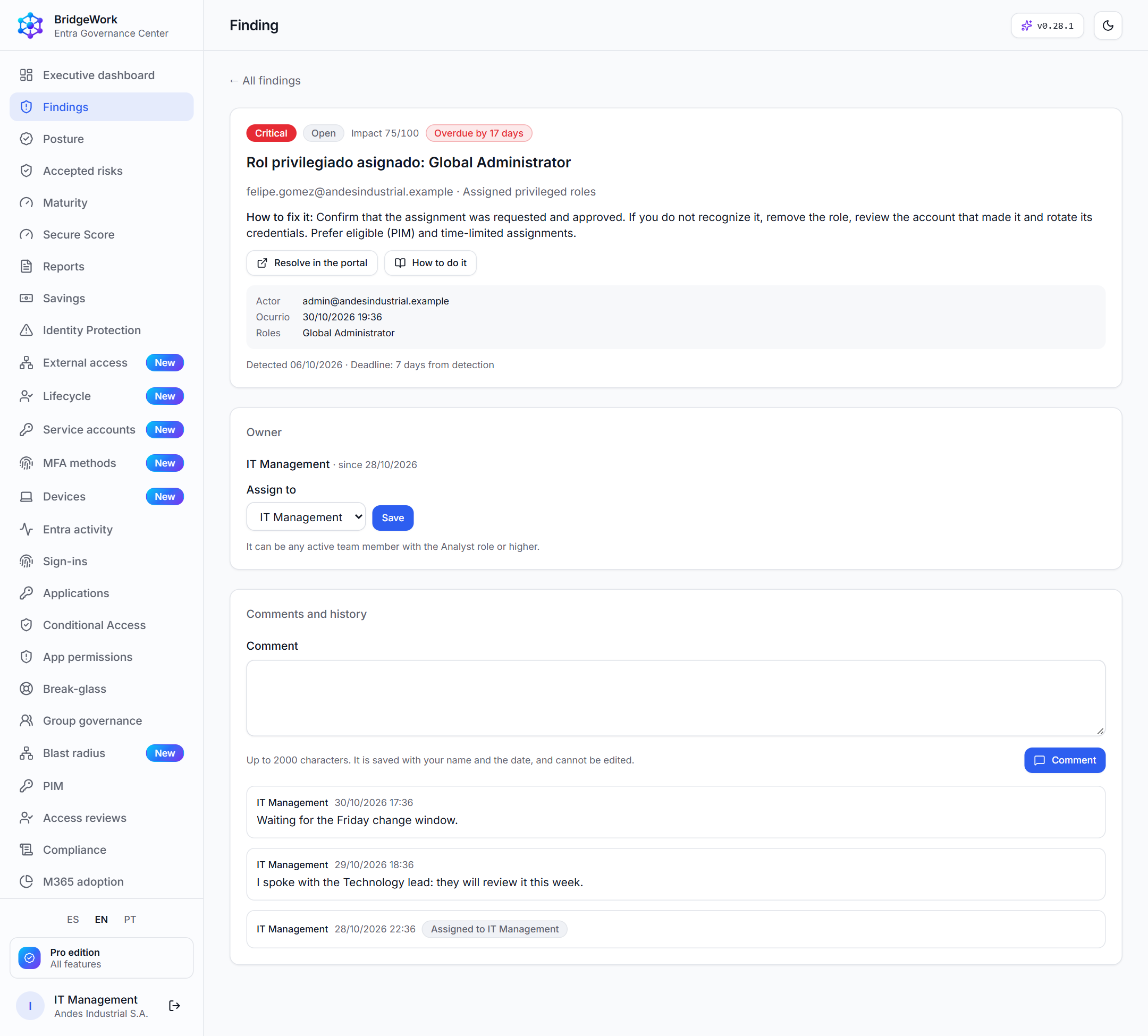
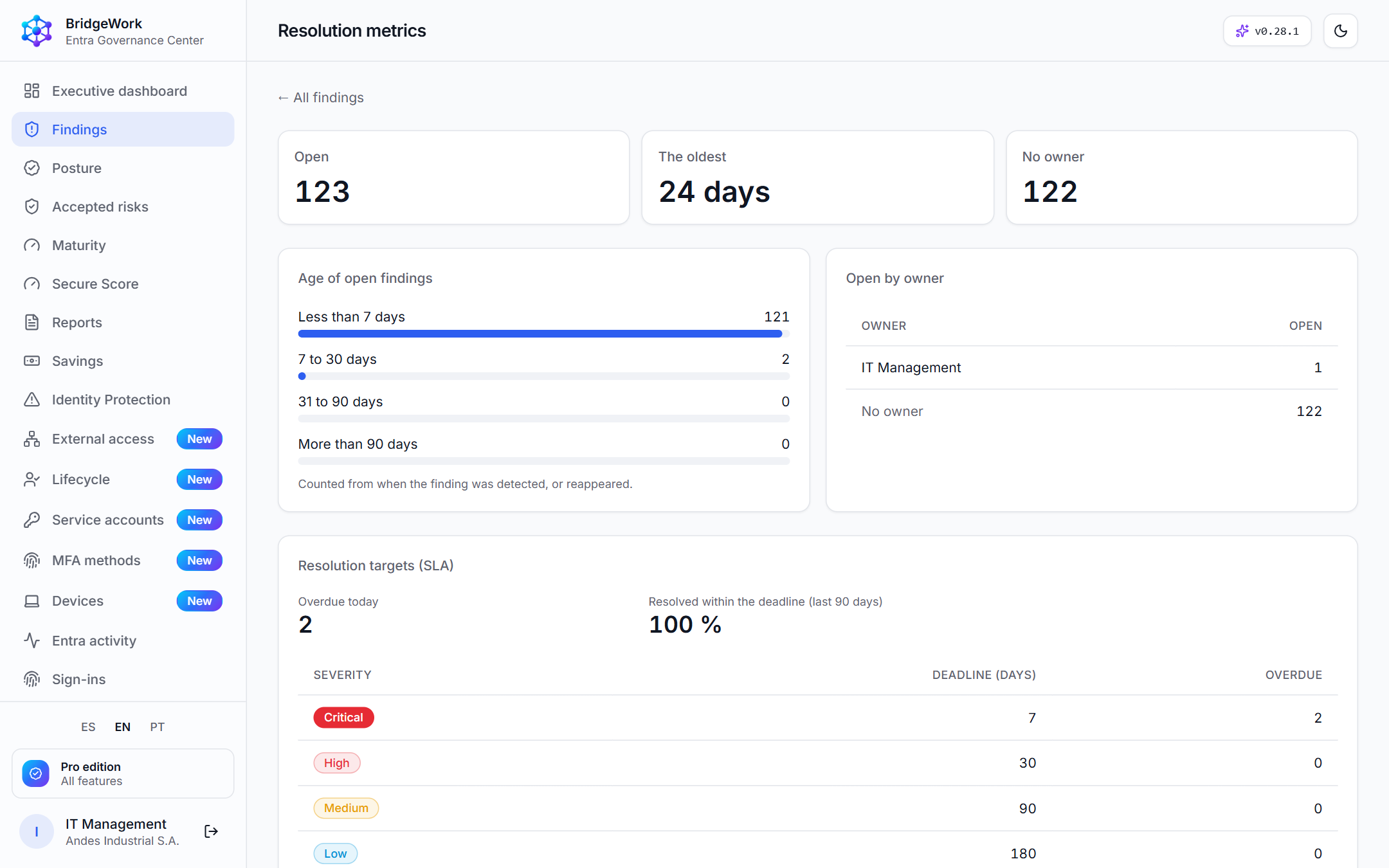
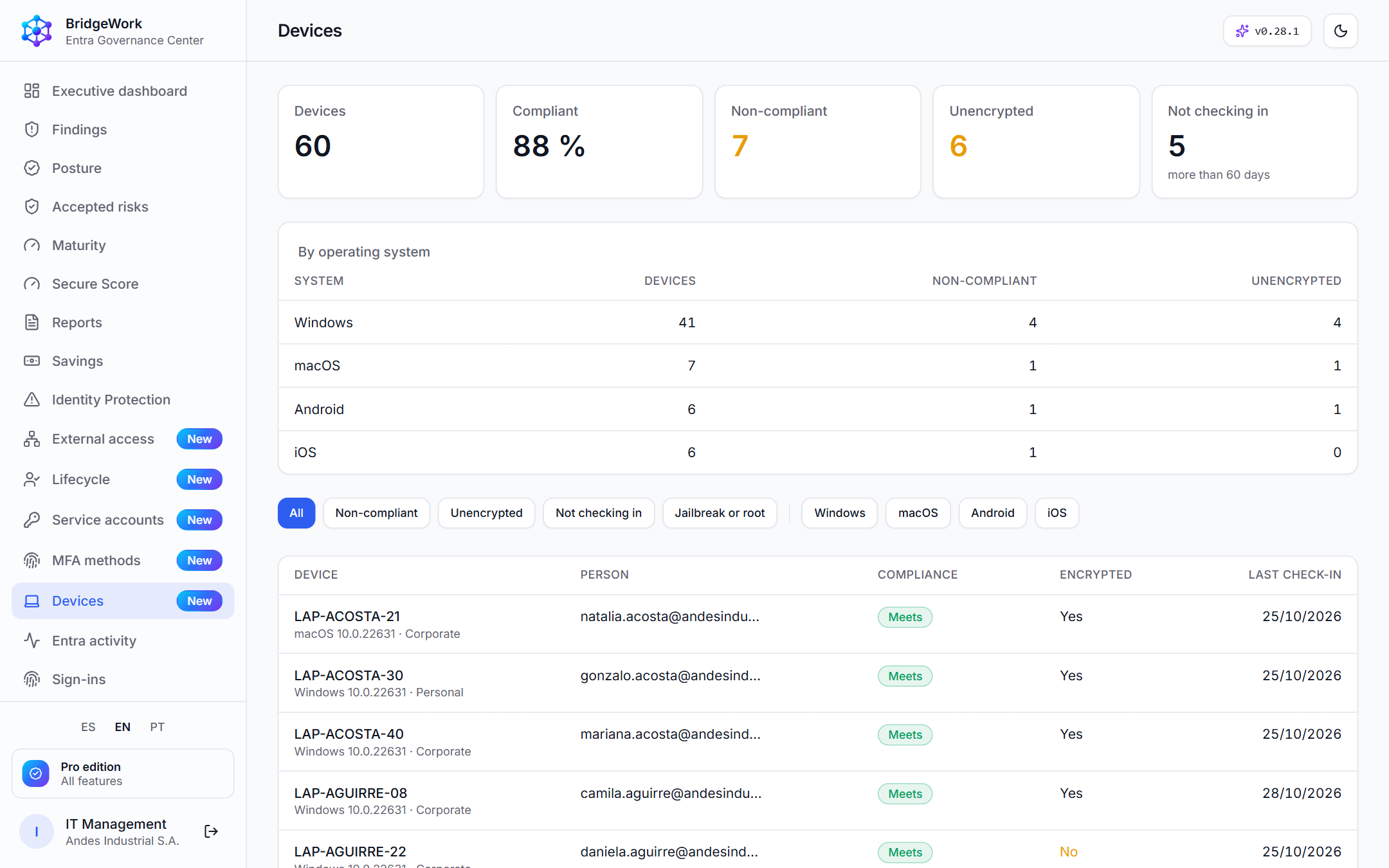
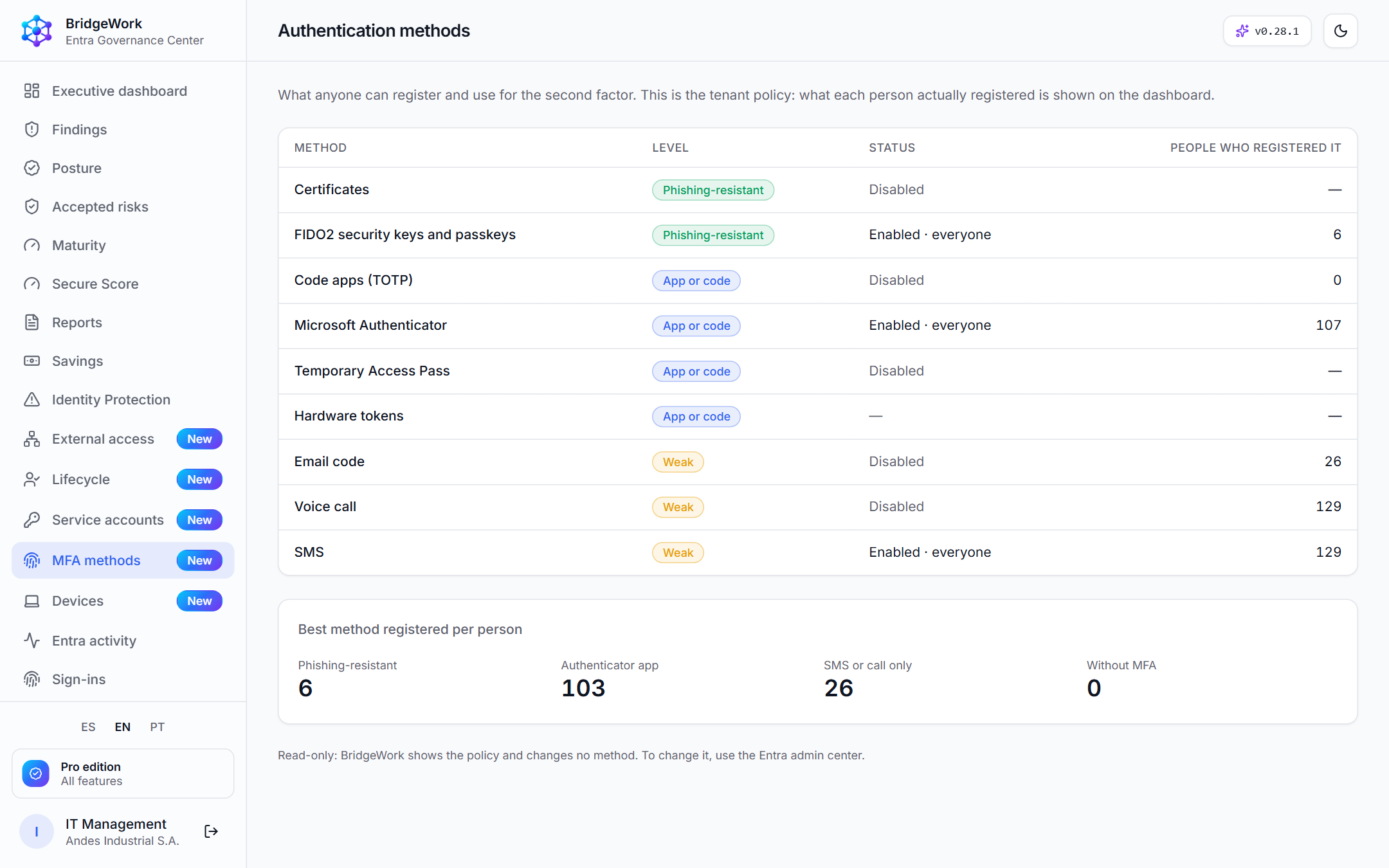
From report to working tool: every finding with an owner and a deadline, and more surface covered.
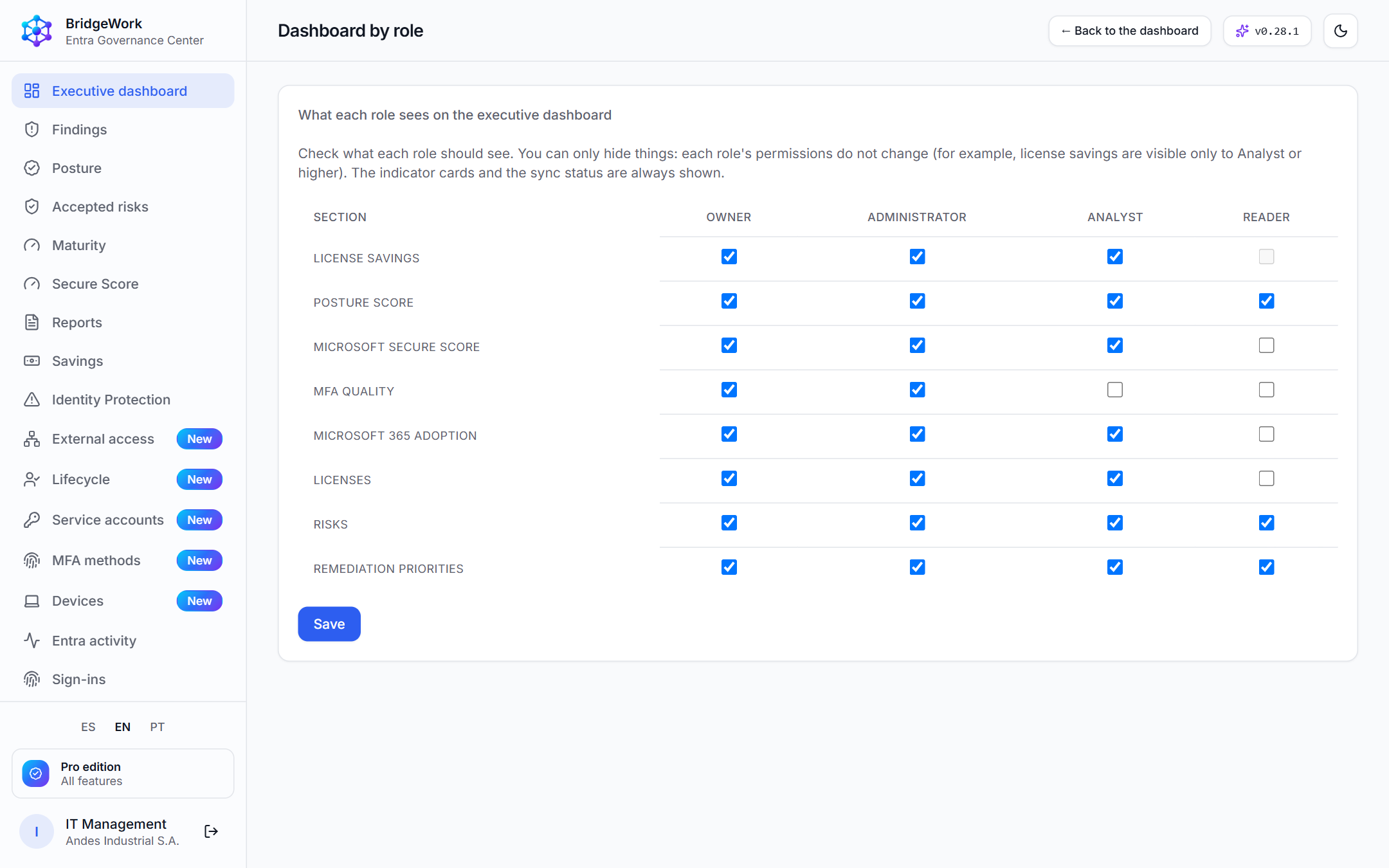
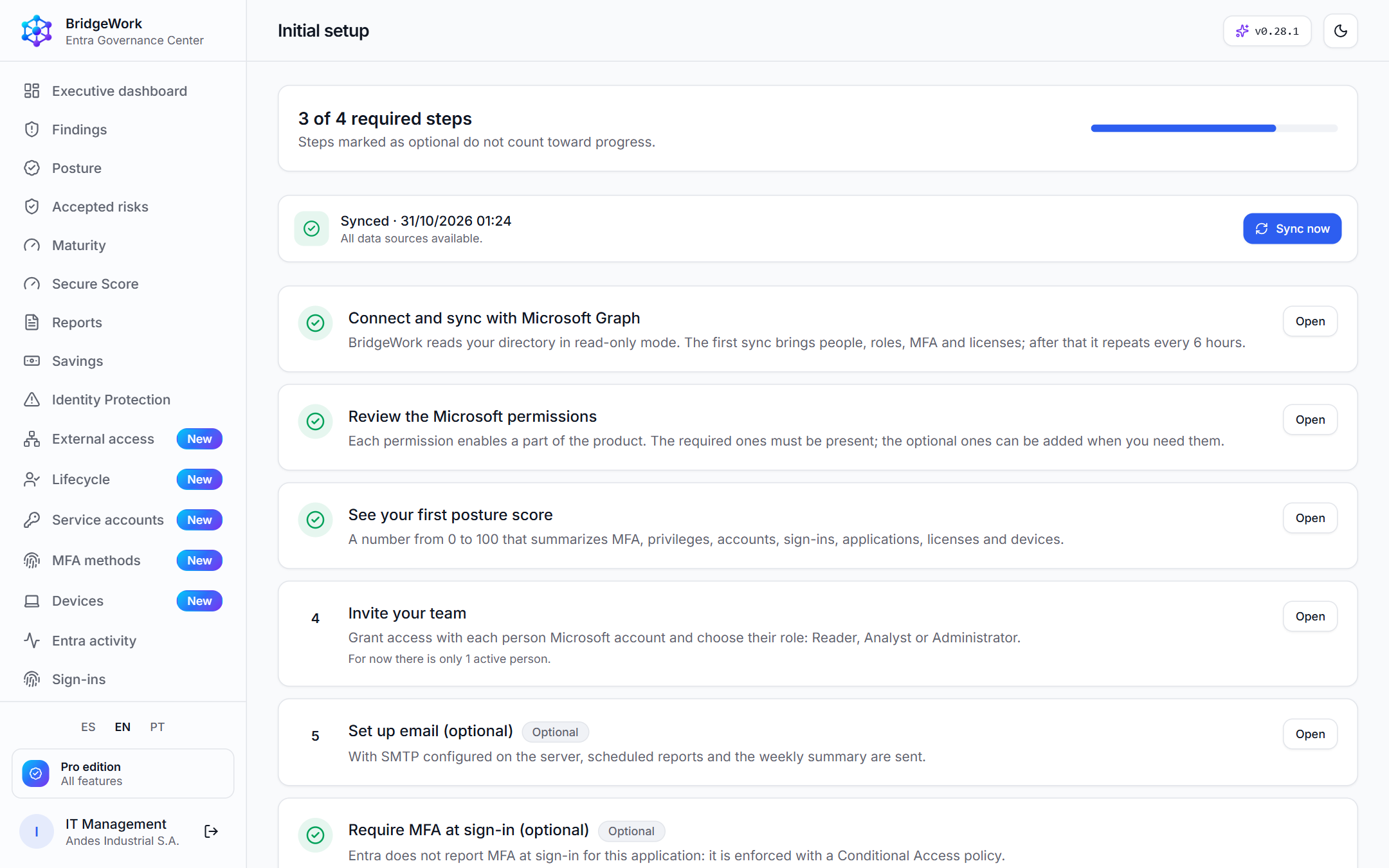
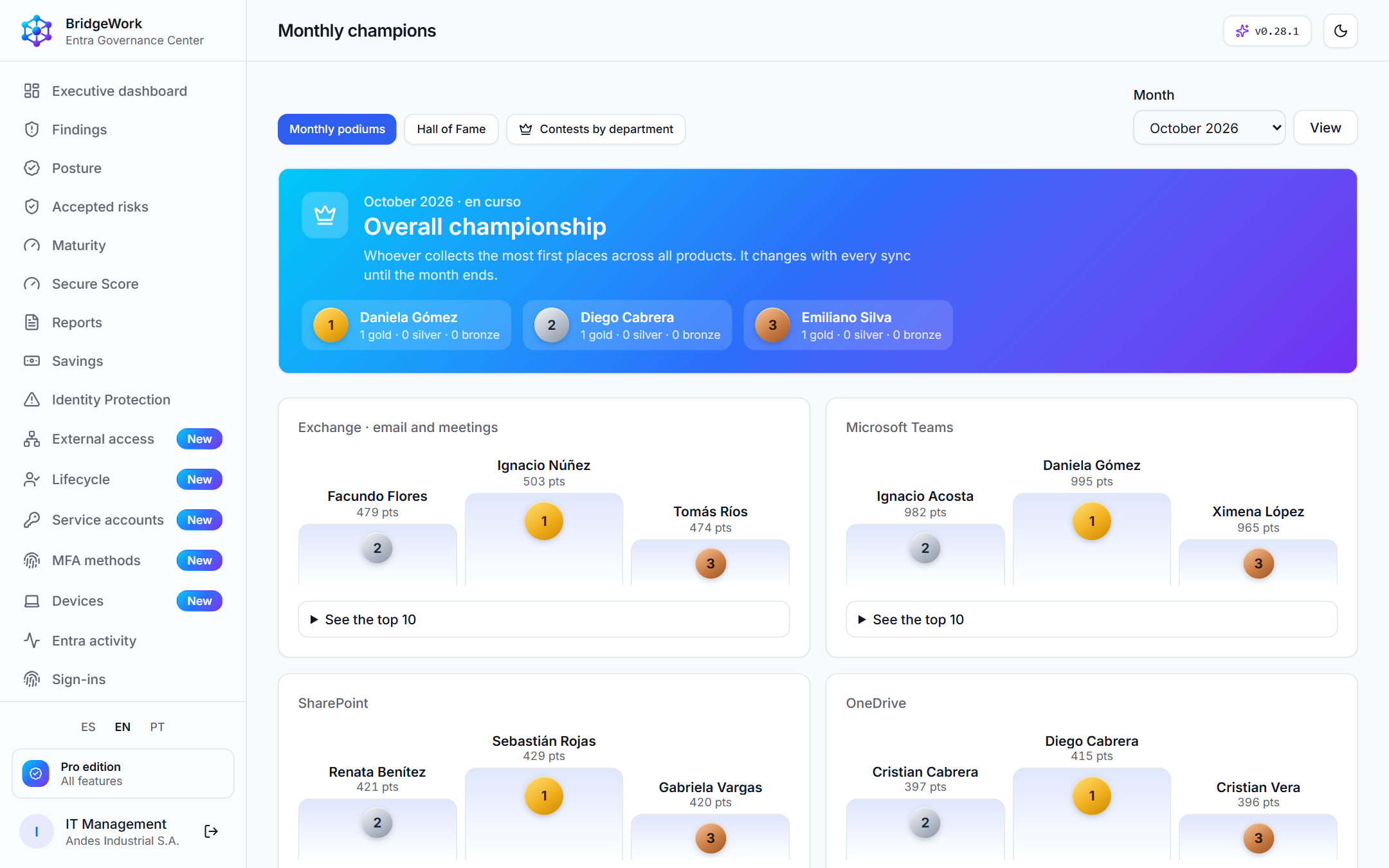
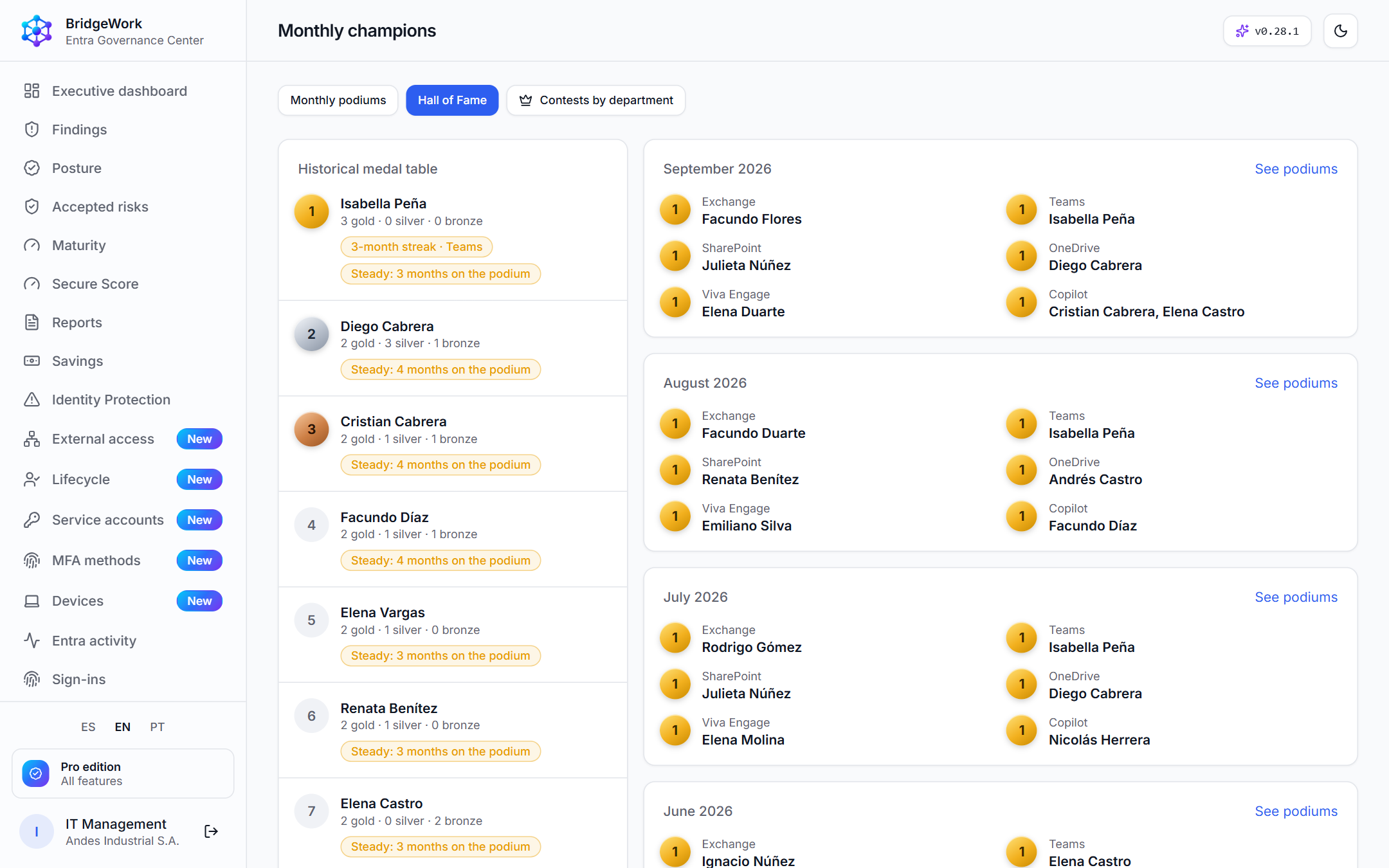
Get people to use what you pay for, and let departments compete to close gaps such as MFA. Activity counts only, never content.
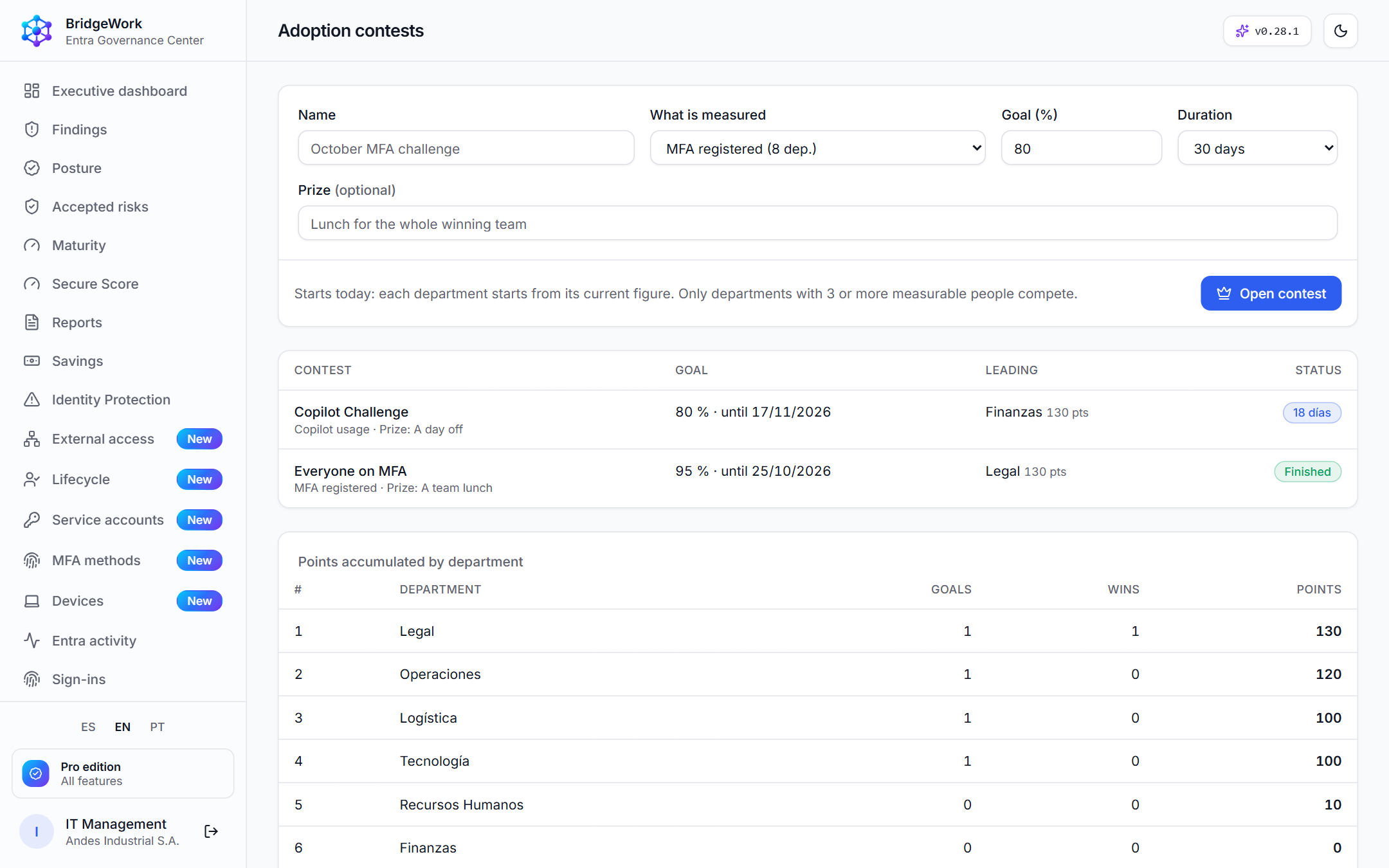
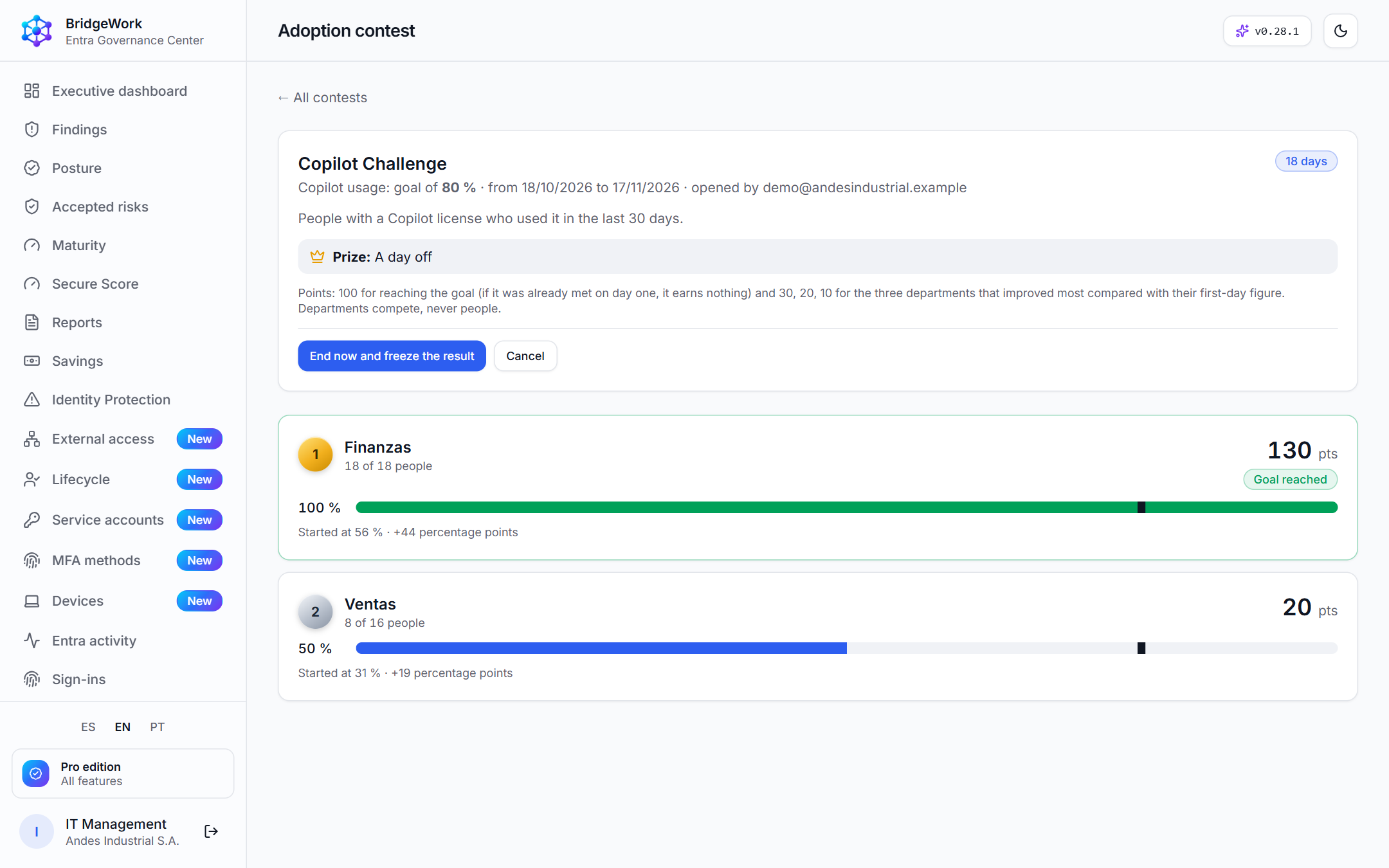
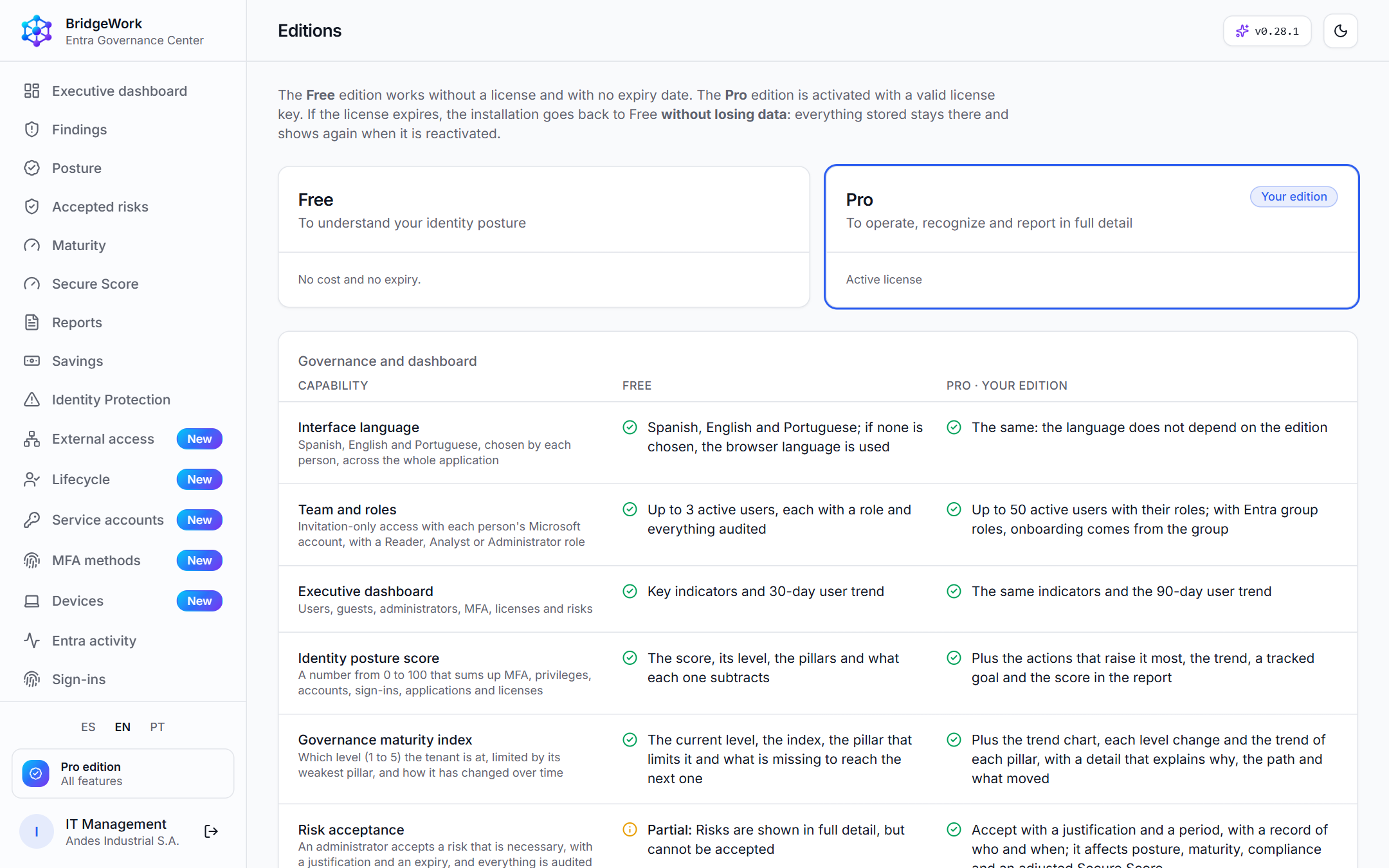
Free never expires or blocks. If a Pro license expires, you go back to Free without losing data.
| Free | Pro | |
|---|---|---|
| Team | 3 active users | Up to 50, with roles by Entra group |
| Findings | The top 10 by impact | All of them, with filters and export |
| Trend | 30 days | 90 days |
| Sign-ins and activity | Last 7 days | 90+ day history with filters |
| Posture and maturity | Score, grade and pillars | More actions, trend and goal |
| Risks, access reviews, compliance | Counts and progress | Full management with evidence |
| Reports | Executive (5 priorities) | Executive, technical and 11 more; scheduled; your own brand |
| Integrations | None | Alerts, Jira, ServiceNow, Sentinel, Splunk and a read-only API |
| Gamification | Podiums without names | Names, Hall of Fame, badges and contests between departments |
| Devices, lifecycle, external access, service accounts and MFA methods | Figures | Lists with names, findings and a devices pillar in the score |
| Finding operations | Owner of each finding and age metrics | Comments, history, deadlines (SLA), resolution time and weekly summary |
No. It reads with read-only permissions and links to the Microsoft portal to fix things.
In your own installation: one per organization, never mixed with other customers' data.
No. It organizes the identity evidence that backs the controls; it does not certify compliance.
That pillar is not evaluated or penalized, and the screen tells you what is needed.
No. It rewards usage: only the top places, only activity counts (never content) and contests between departments, never between people.
Only read-only application permissions; the guide says what each one enables. Optional ones that are missing do not subtract points.
Yes: there is a demonstration installation with a fictitious tenant. Request it through the sales channel.